Database
The database is a structured data management module the Tuya Developer Platform provides for agents. It lets an agent store, read, update, and delete data at runtime, driven by natural language or system logic.
With a database, you can give an agent these capabilities:
- Record user behavior and logs.
- Store personalized profiles and preferences.
- Manage data shared among multiple users.
- Build business knowledge bases and backend data tables.
The platform offers three data modes, from personal interaction to collaborative sharing:
- Single-user mode: Each user has an independent data space.
- Multi-user mode: Users share or collaborate on the same dataset.
- Developer mode: Developers maintain backend data; users can only query and use it.
Database modes
| Mode | Typical scenario | Data type and read/write logic | Example |
|---|---|---|---|
| Single-user mode | Personal data recording, companionship, and growth apps. Suits user-specific memories, learning logs, and health records. | Data type: User-private data. Read/write logic: Only the owner can create, modify, or delete data. Isolation: Data is isolated by user ID, product ID (PID), and agent, so it does not interfere across users, agents, or PIDs. | AI toy: Records daily learning and growth events, such as "Today I learned to build with blocks." AI diary assistant: Records moods, feelings, and daily plans. Spending tracker: Records spending such as "Spent ¥35 on lunch today" and generates statistics. |
| Multi-user mode | Sharing and interaction scenarios. Suits task boards, collaborative interactions, and social message boards. | Data type: Public or group-shared data. Read/write logic: Multiple users can write data. Synchronization: Real-time updates across multiple devices and users. | Bottled message: All users share a message pool, drawing messages at random or submitting new ones. AI task square: Users record daily task completion and view rankings. Class learning leaderboard: Shows task completion rates and points for all members. |
| Developer mode | Backend knowledge management and centralized data maintenance. Suits product information, book Q&A, and FAQ systems. | Data type: Maintained uniformly by developers. Read/write logic: Only developers can write or update data; users can only query it. Permission control: The agent has read-only access. | Product info agent: Imports product parameters and descriptions in the backend; users query them via Q&A. Library assistant: Queries book authors, summaries, and status. Enterprise knowledge base: Centrally maintains business knowledge and policy documents for user queries. |
Examples
The following examples show typical uses of the three modes in real agent scenarios.
Single-user mode
| Example and description | Conversation example |
|---|---|
| AI toy / growth tracker: Creates an independent data table per user to record daily learning and interactions. | User: "Please note down that I learned to build with blocks today." Agent: "Recorded: Today's learning task — building with blocks!" |
| AI recorder / diary assistant: Users record meetings, to-do lists, or mood logs by voice or text. Data is visible only to the user. | User: "Note the meeting key point: submit the new document by Friday." Agent: "Task recorded: submit the new document." |
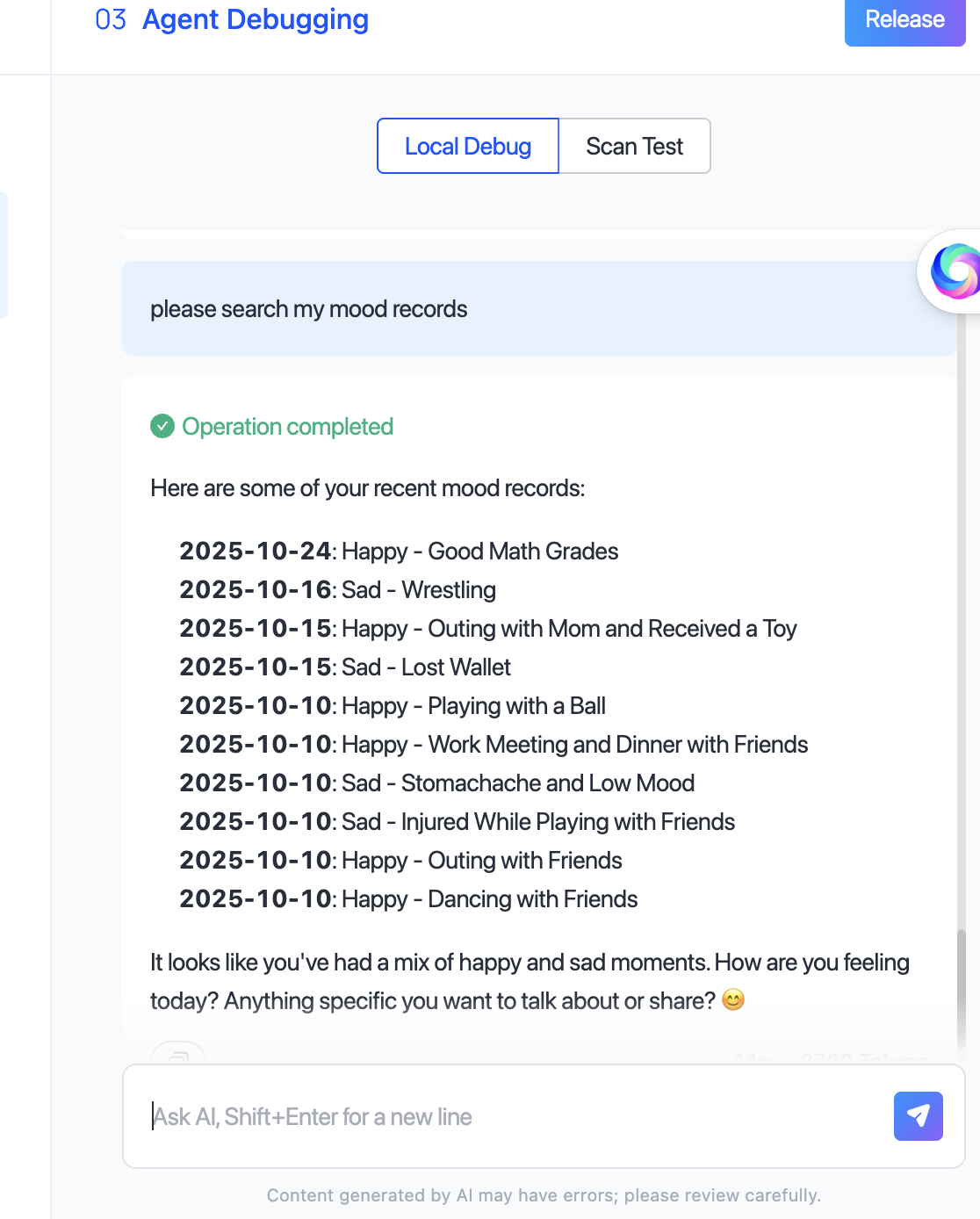
Sample interface of a diary card:
Multi-user mode
| Example and description | Conversation example |
|---|---|
| AI task square: Multiple users share a task data table. The system calculates task completion rates and rankings automatically. | User: "I finished reading two books today." Agent: "Excellent! Your task completion rate is 100% today, currently ranked 3rd." |
| Bottled message / public bulletin board: Users post messages to a public table, which others can view or reply to at random. | User: "I want to leave a message for the next person: stay happy." Agent: "Message sent! Let's see who receives it later." |
Developer mode
| Example and description | Conversation example |
|---|---|
| Product Q&A agent: Developers maintain product information (specifications, features, and FAQs) in the backend. The agent queries and returns results during conversations. | User: "Does this light support Wi-Fi?" Agent: "Yes, it does! This product supports 2.4 GHz Wi-Fi connection." |
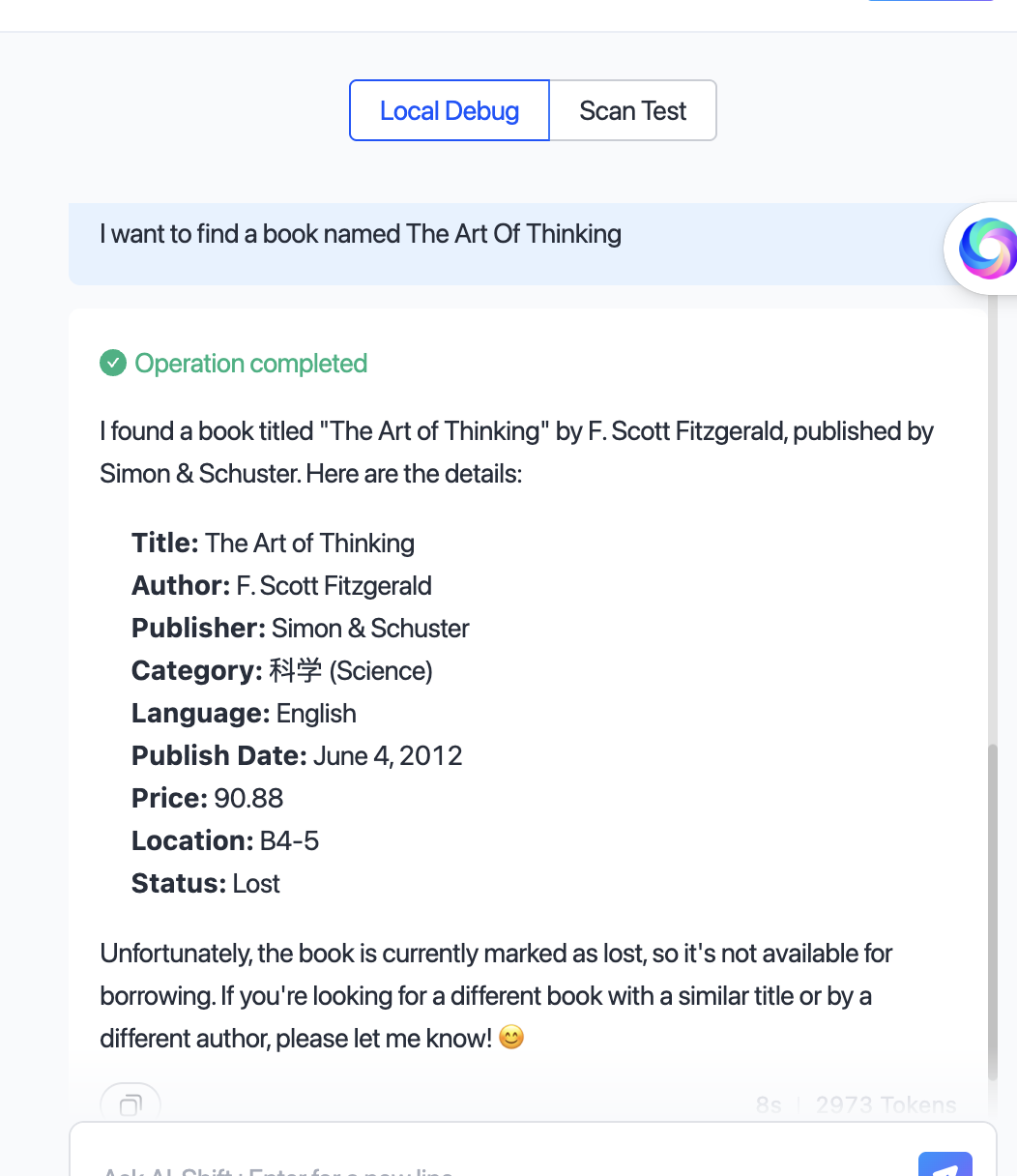
| Library assistant: Book information is maintained in the backend. Users retrieve it via natural-language queries. | User: "Check the author of 'Sapiens: A Brief History of Humankind'." Agent: "The author of 'Sapiens: A Brief History of Humankind' is Yuval Noah Harari." |
Sample interface of a library AI assistant:
Data import and testing
| Item | Single-user mode | Multi-user mode | Developer mode |
|---|---|---|---|
| Test data import | Not supported | Not supported | Supported |
| Online data import | Not supported | Not supported | Supported |
Data import is available only in Developer mode and must be performed by the project administrator.
Procedure
Create a database
-
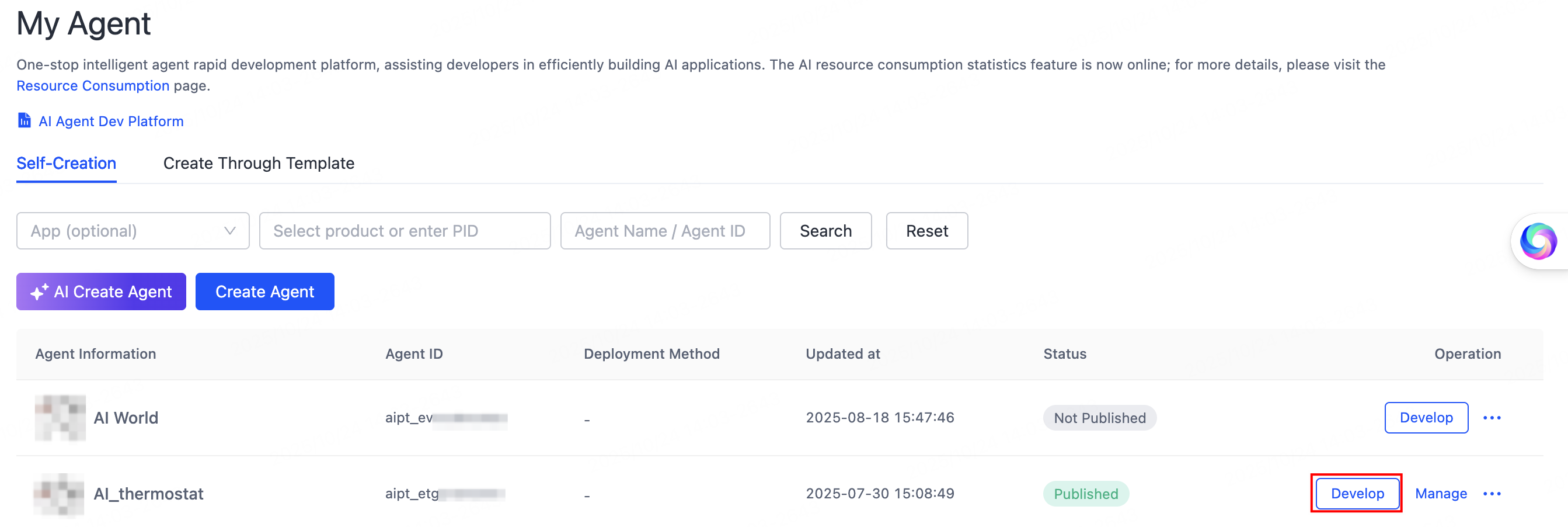
Go to the My Agent page and click Develop in the Operation column of the agent you want.
Database -
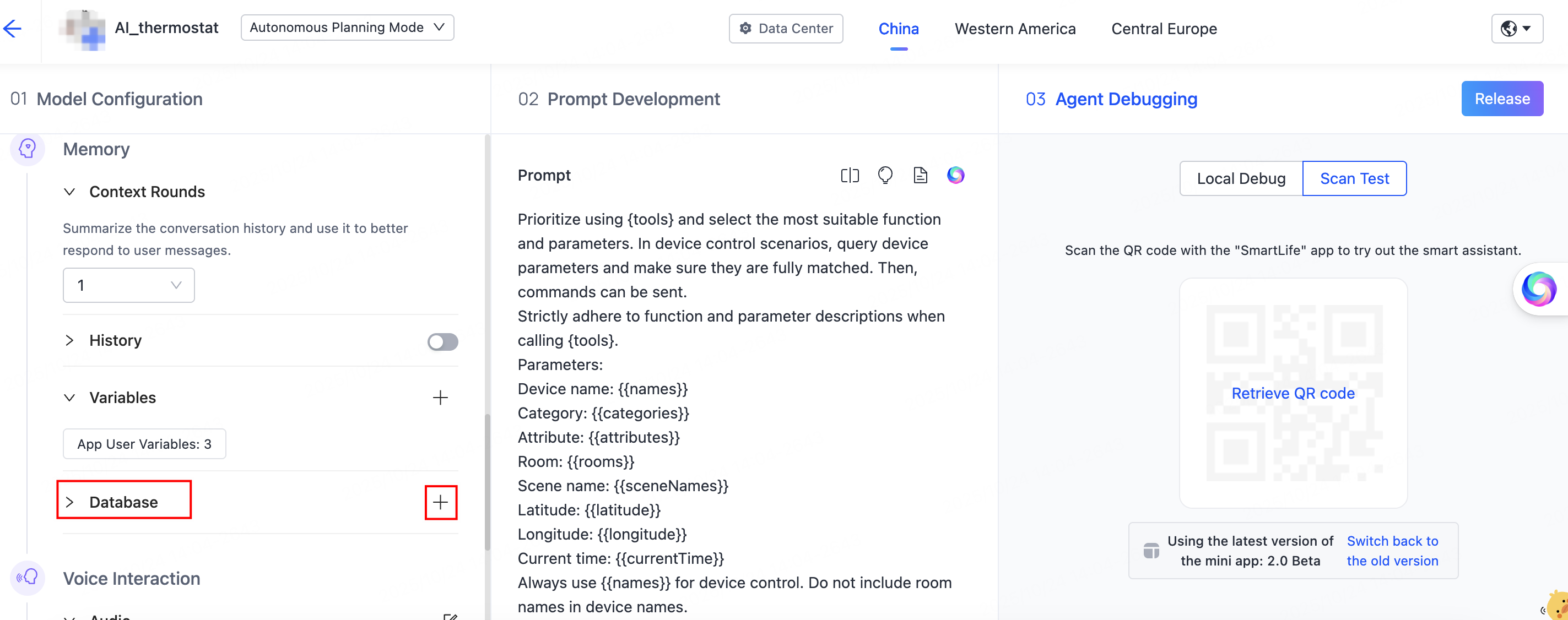
Under Model Configuration > Memory, find Database, then click the Add (+) button on the right.
Database -
On the Select Database page, click Add database in the top-left corner, or bind an existing database from the list on the right.

Database -
Define the data table structure. Based on the agent's business type, define the table type, description, fields, and other relevant information.
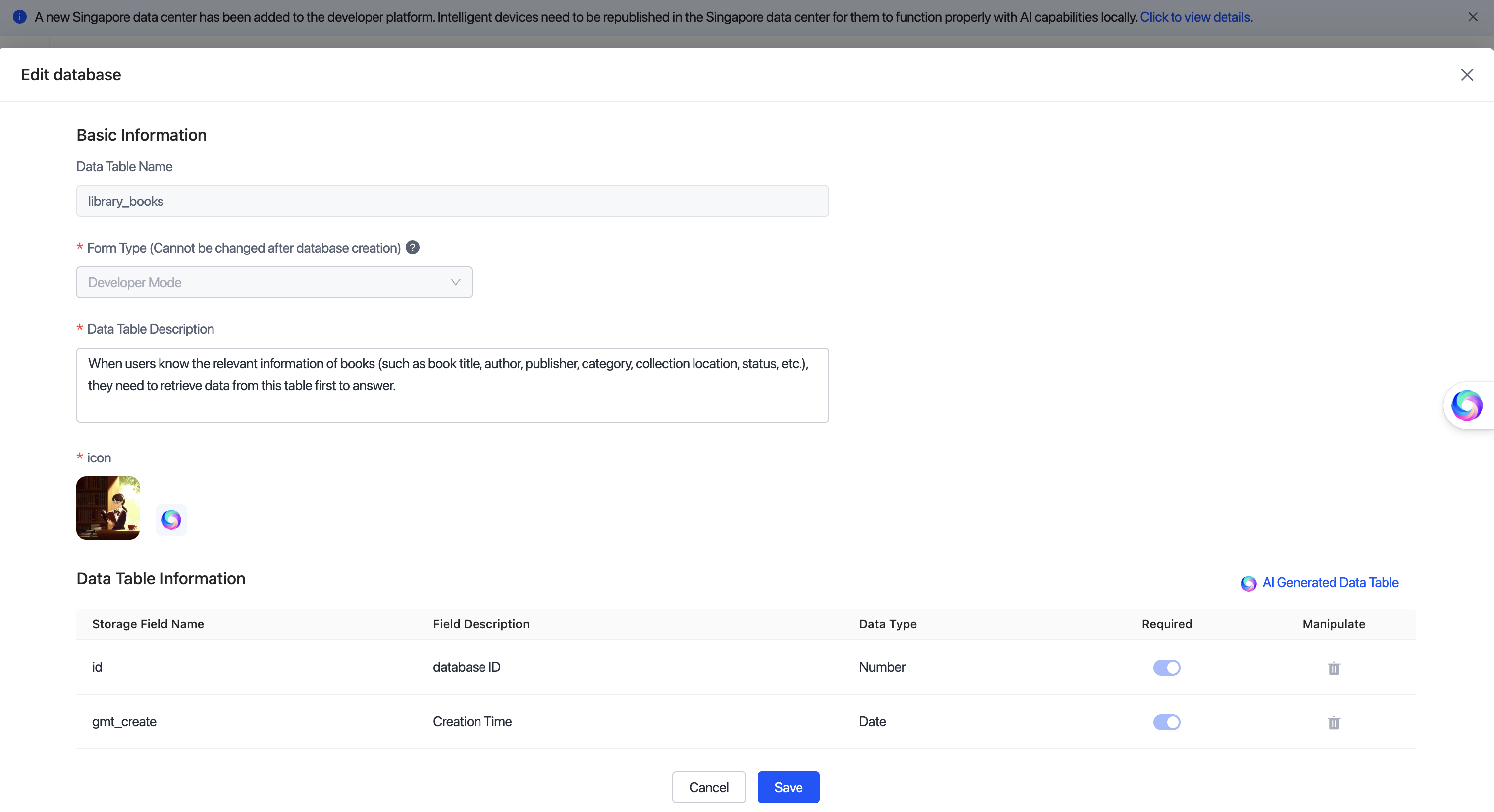
Database - The AI infers the database structure from the semantics you provide.
- More specific descriptions yield more precise structures, including field names, purposes, and data types.
- Multi-turn dialogue lets you fine-tune field configurations; the system updates the structure definition in real time.
-
After completing the form, click Save. The system initializes the table structure automatically.
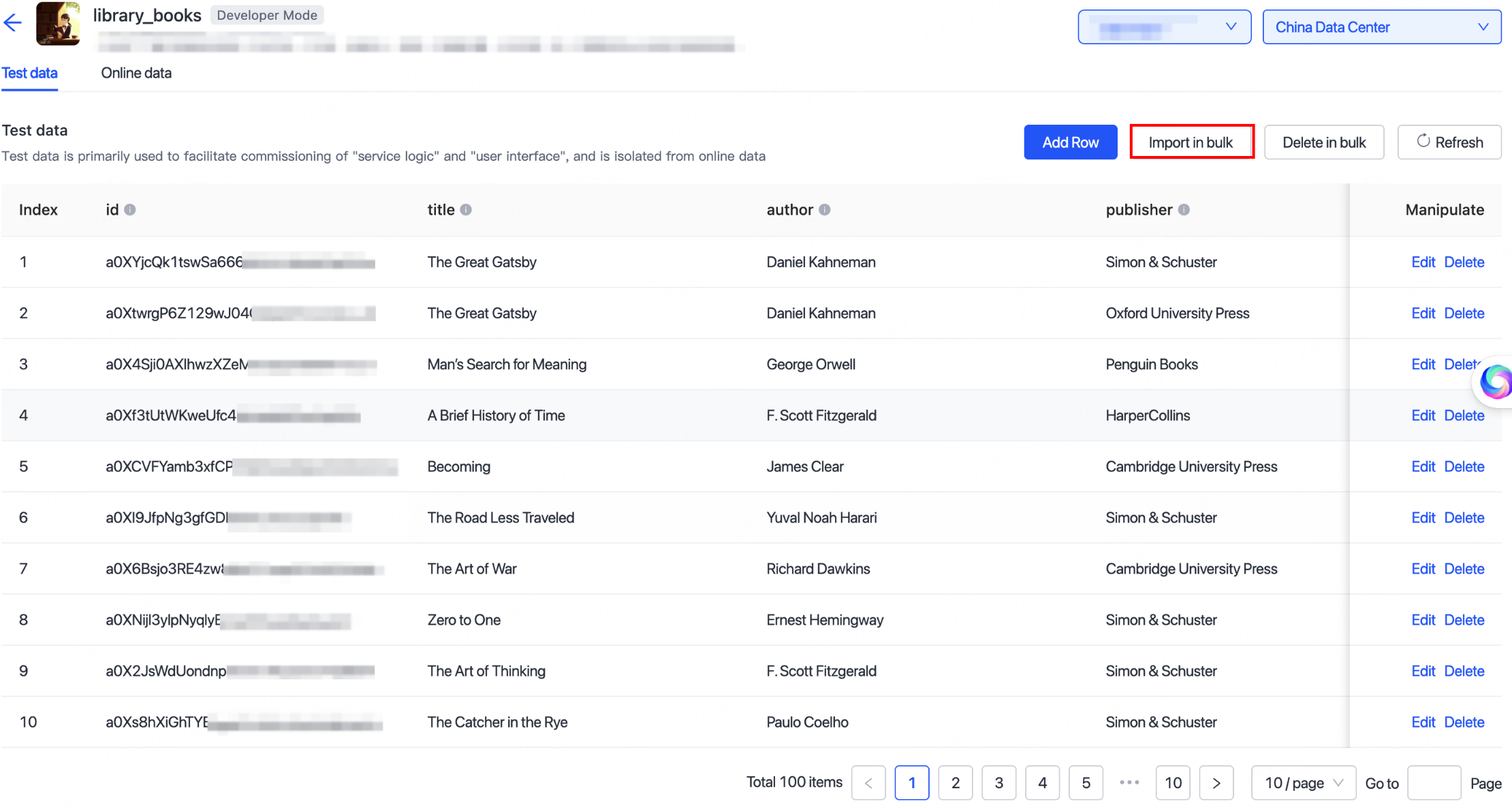
In Developer mode, you can click Import in bulk to import sample data for testing.
Database
Test and debug
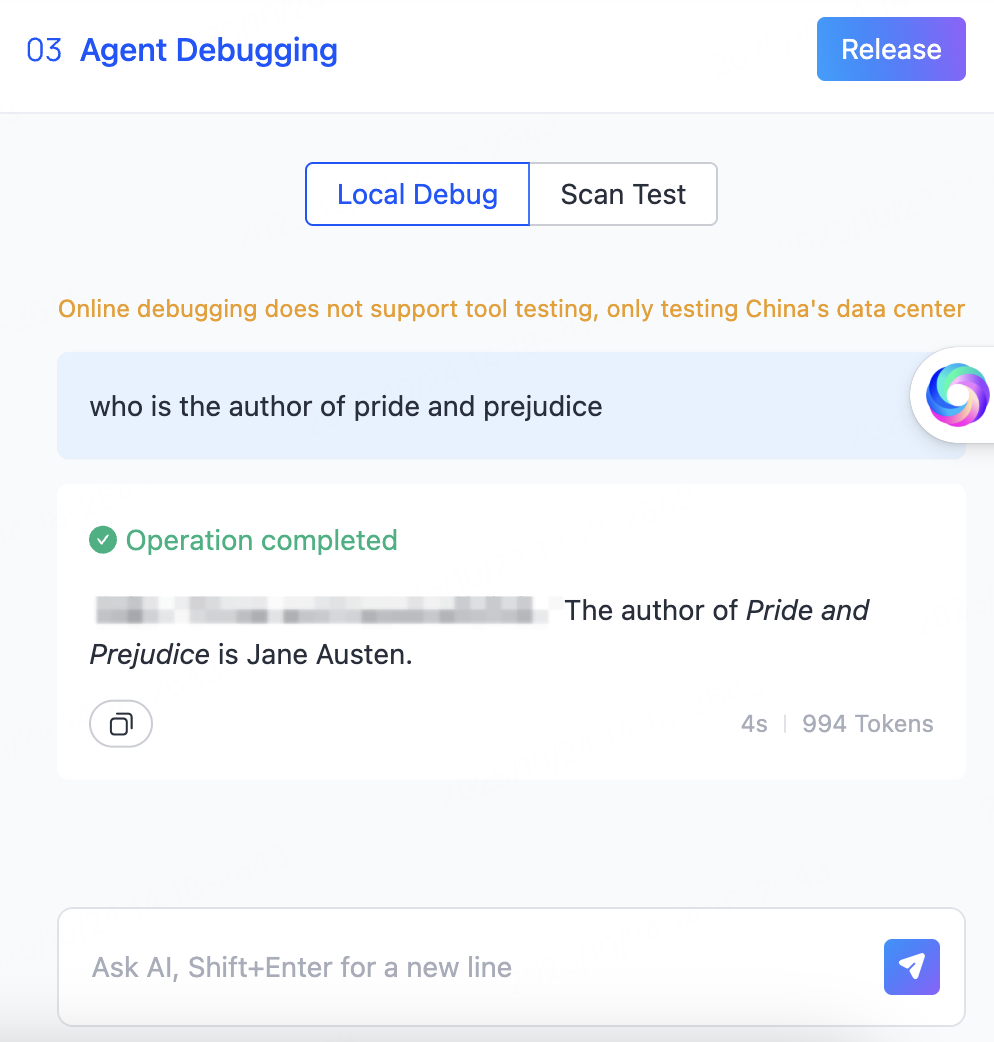
Proceed to the Agent Debugging step. Debug by scanning a QR code or use online debugging to verify the conversation responses.
The main factors that affect how accurately the agent invokes the database are:
- Completeness of database and field descriptions: Clearer descriptions help the AI understand the data's purpose and structure.
- Clarity of database usage rules in the agent prompt: Defining in the prompt which scenarios should trigger queries or writes, with relevant examples, helps the AI choose the correct database behavior automatically.