MCP Management
The Model Context Protocol (MCP) is an open standard, created and open-sourced by Anthropic in 2024, that standardizes how large language models (LLMs) and AI agents interact securely and flexibly with external data sources, tools, and services.
MCP acts as a common interface for AI systems: it lets a model reach external data sources, tools, and services through one protocol, integrating diverse resources to extend the model's capabilities and practical utility.
Technical architecture
MCP uses a client-server architecture with three parts:
- MCP host: The application running the LLM. It coordinates the interaction and manages one or more MCP clients.
- MCP client: The bridge between the host and a server. Each client keeps a one-to-one connection with an MCP server and handles request and response transmission.
- MCP server: The backend that actually provides the data or service — a file system, database, API, or custom tool. It responds to client requests.
MCP exchanges data bidirectionally over a standardized protocol. You can develop and deploy your own MCP servers to extend an agent's capabilities without modifying the host application, which significantly lowers the cost of integrating external tools and data sources. Because communication is bidirectional, a server can also push information or request operations, supporting more complex automated workflows. This turns an LLM from a conversational tool into an assistant that can execute tasks.
For more information, see the MCP website.
Integrate MCP with the Tuya platform
The Tuya AI Agent Development Platform fully supports MCP server integration. By integrating an official MCP server or connecting a custom one, you extend the agent's ability to interact with third-party services and IoT devices.
This gives an LLM the "eyes, arms, and legs" to perceive and act in the physical world beyond text dialogue — making intelligent decisions on top of the LLM and establishing efficient, secure interactions with real devices and services.
Platform advantages
- Built for IoT device ecosystems: Tuya-enabled devices integrate plug-and-play. Add an MCP server to your agent, and the devices become immediately available across IoT scenarios.
- Diverse MCP services: Beyond the official preconfigured MCP servers, you can create and integrate custom MCP services for both a robust ecosystem and personalized extensions.
- Simplified development and integration: Register your service once on the platform and integrate a lightweight SDK to enable MCP server access and deployment across multiple data centers.
- Global deployment: With coverage across five data centers worldwide, the platform supports low-latency connections to the nearest data center, meeting regional deployment and compliance requirements.
- Secure persistent connections: Persistent connections in multiple data centers run over the WebSocket protocol, keeping data transmission confidential, complete, and available.
The platform's MCP capabilities and official MCP tools keep expanding. See the platform's open documentation for the latest updates.
Quick start
Manage MCP
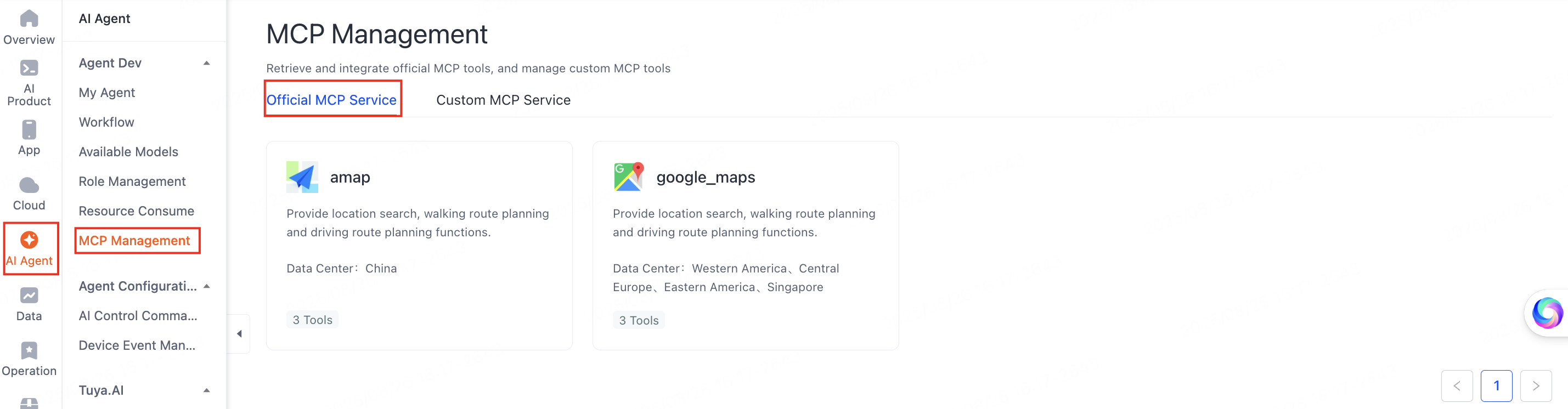
Go to the Tuya Developer Platform > MCP Management page.
You can query official MCP services and manage custom MCP services. Switch tabs to view official services and your registered custom services.
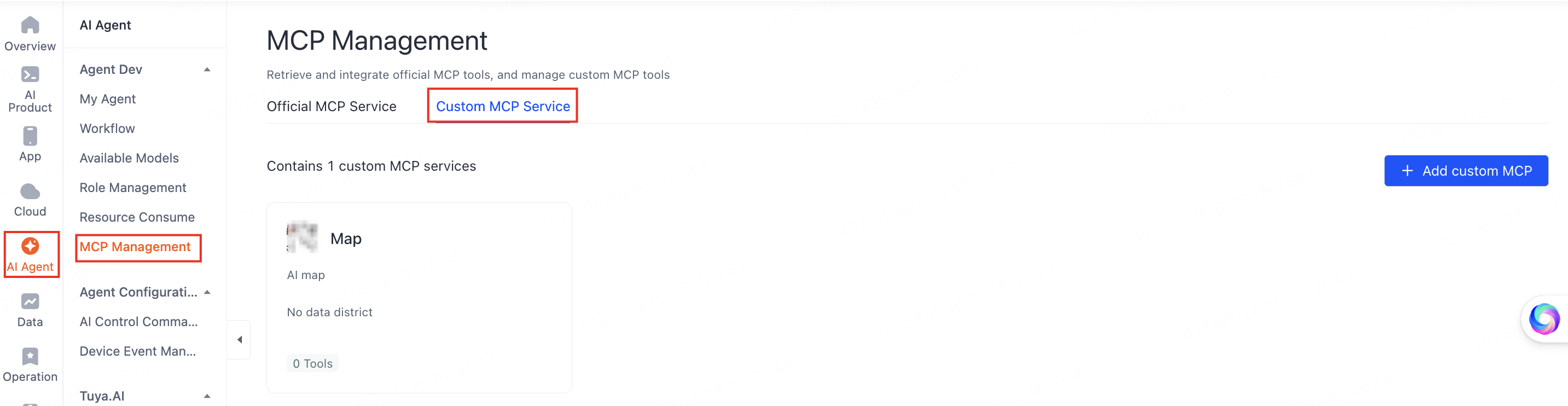
If you have not registered an MCP service yet, click Add custom MCP under Custom MCP Service to register your own service. After registration, you can view its service information and configuration in the list.
To develop a custom MCP server, see Custom MCP Services.
View official MCP services
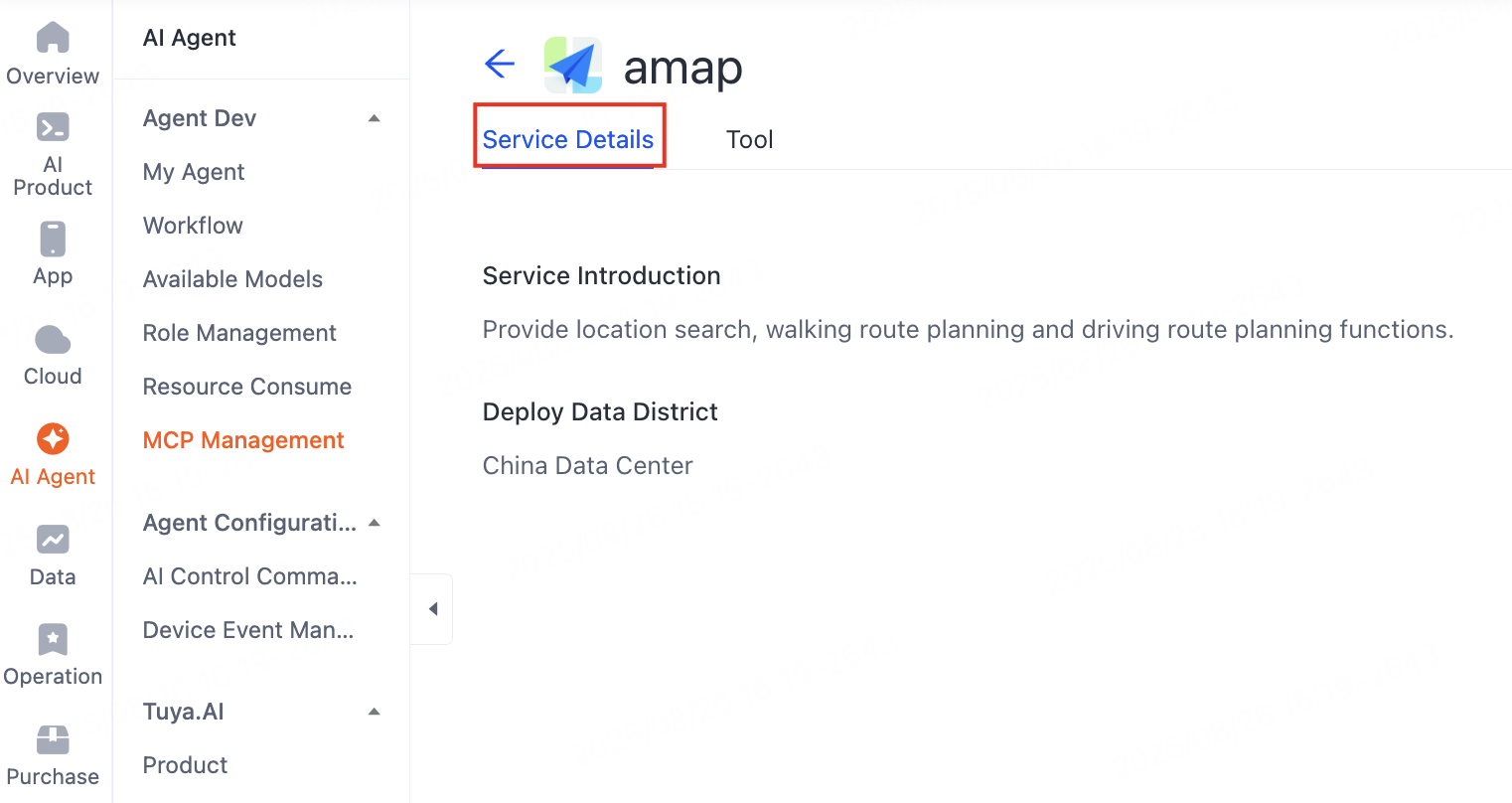
On the Official MCP Service page, click a service to see its service and tool details.
Edit a custom MCP service
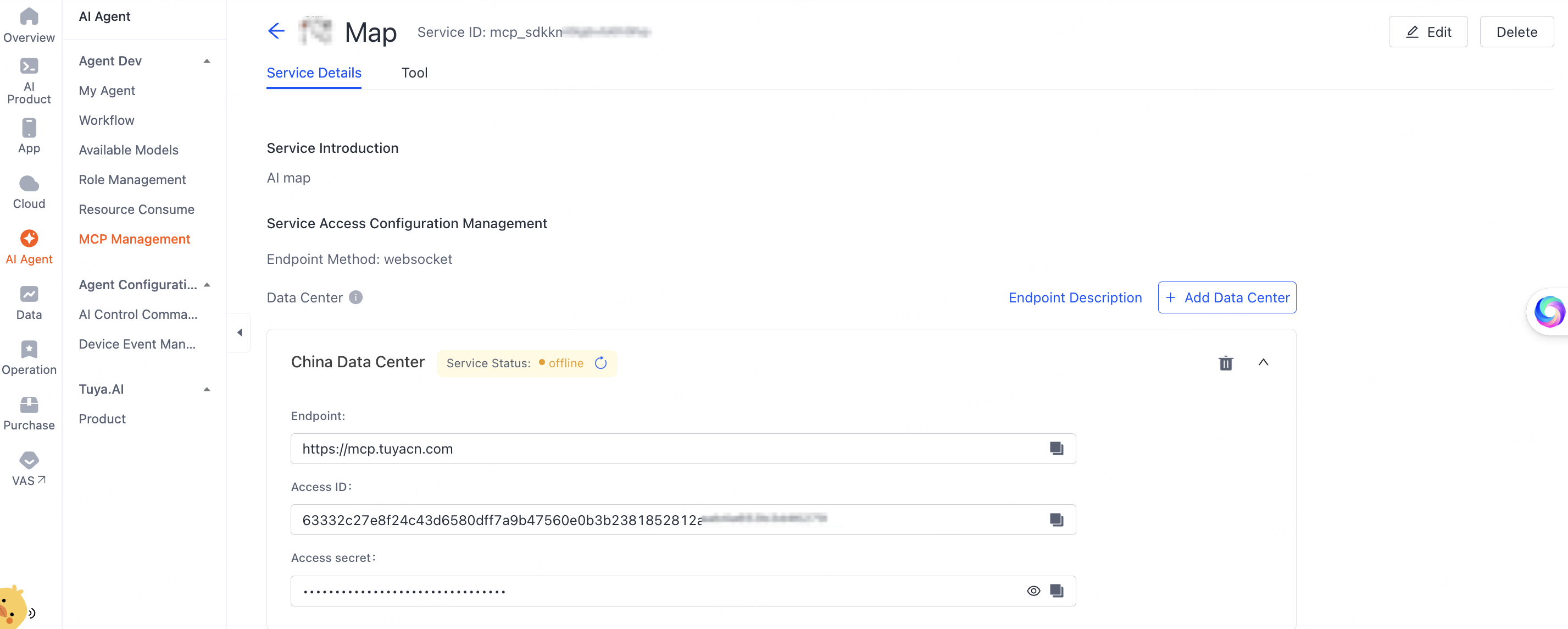
On the Custom MCP Service tab, click a service. On the Service Details page, view the introduction, configuration, and tool details. Click Edit in the top-right corner to modify the service information and maintain its configuration.
For more information, see Custom MCP Services.
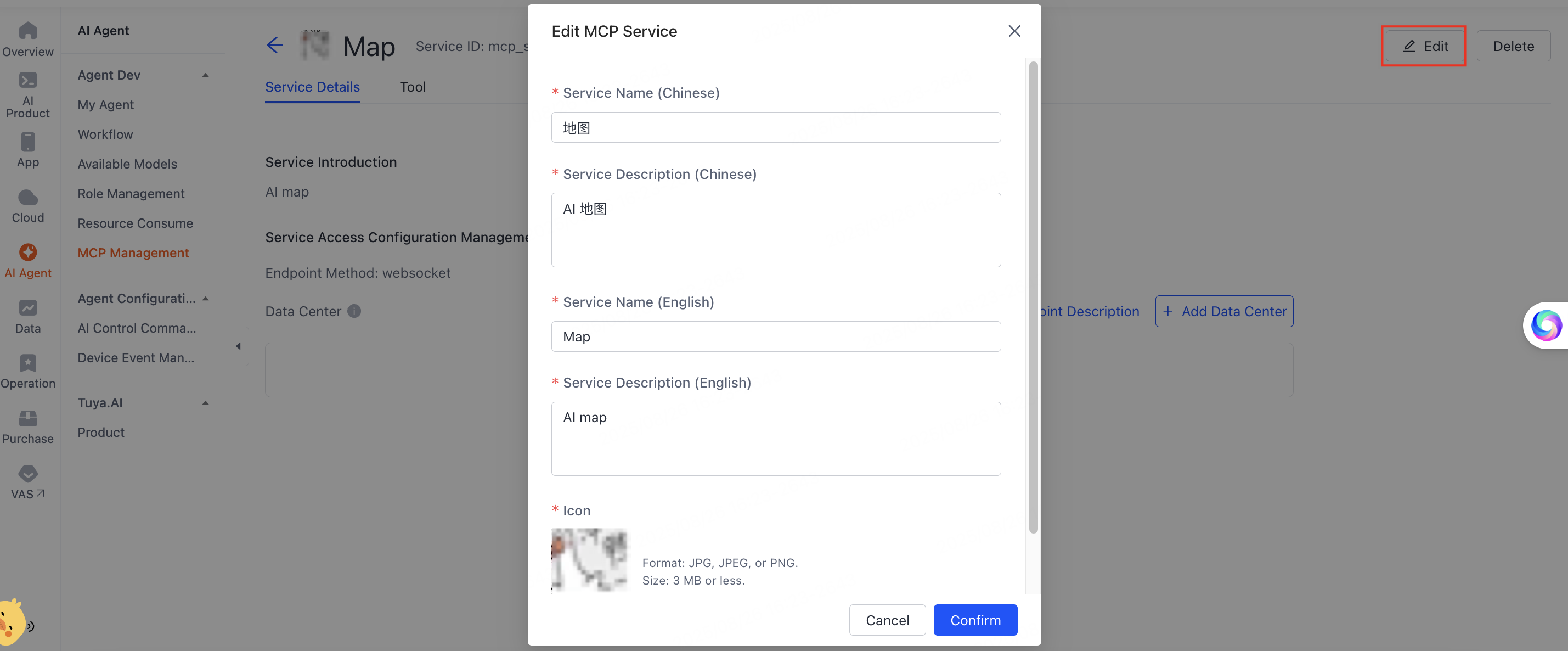
You can add data centers.
Debug MCP tools
You can debug MCP tools on the platform.
Select an official MCP service, click the Tool tab, expand the Available tools list, then click Test Run.
You can only debug MCP server tools deployed in the China Data Center today.
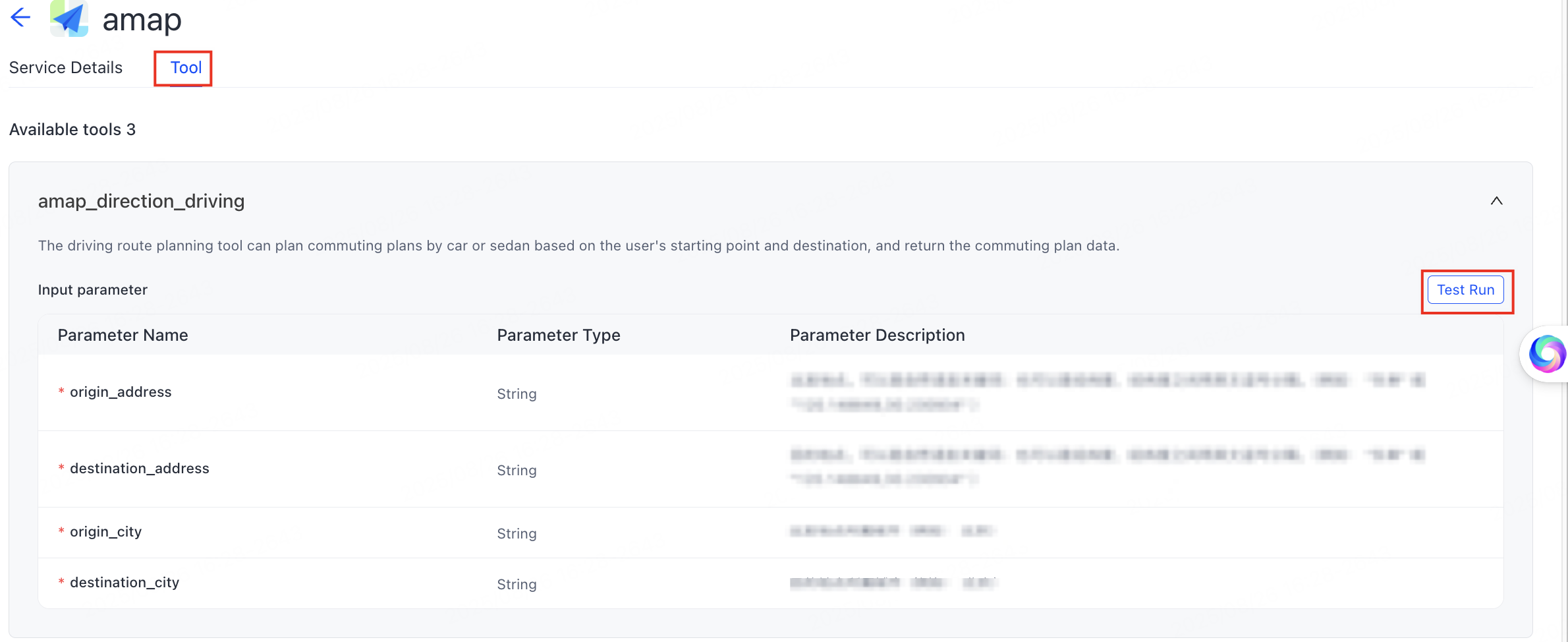
Debug custom MCP services the same way as official ones. For more information, see Run and debug an MCP server.
Add an MCP server to your agent
-
On the My Agent page, select an agent and click Develop in the Operation column.
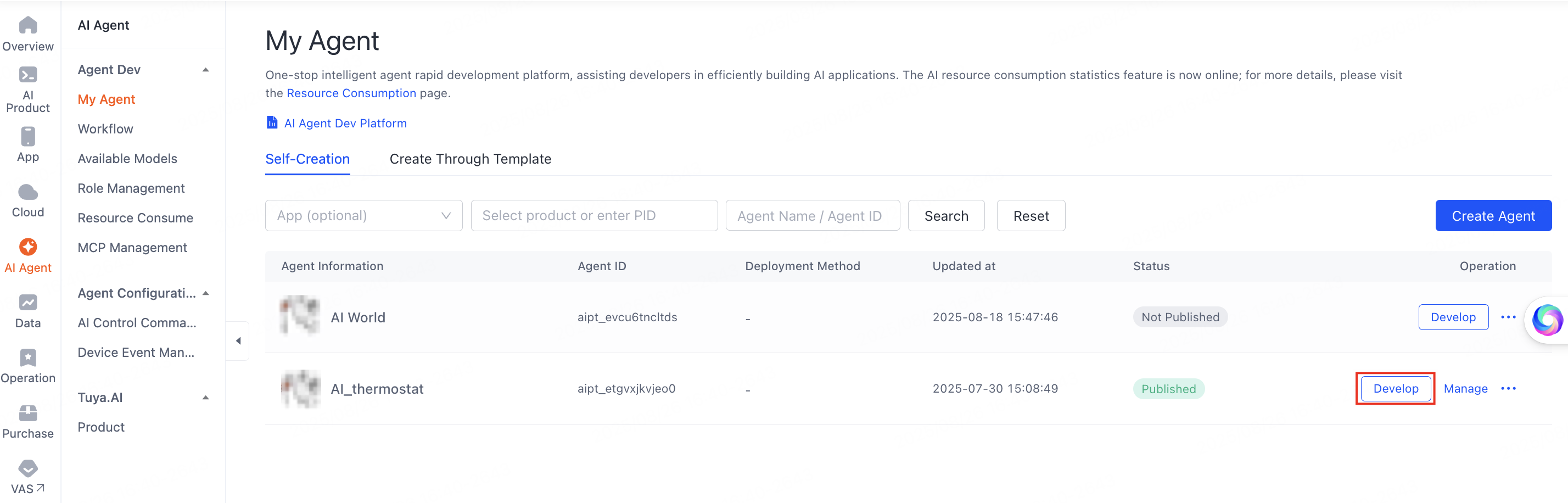
My Agent develop entry -
Under 01 Model Configuration > Skills Configuration, click + to the right of Plugin.
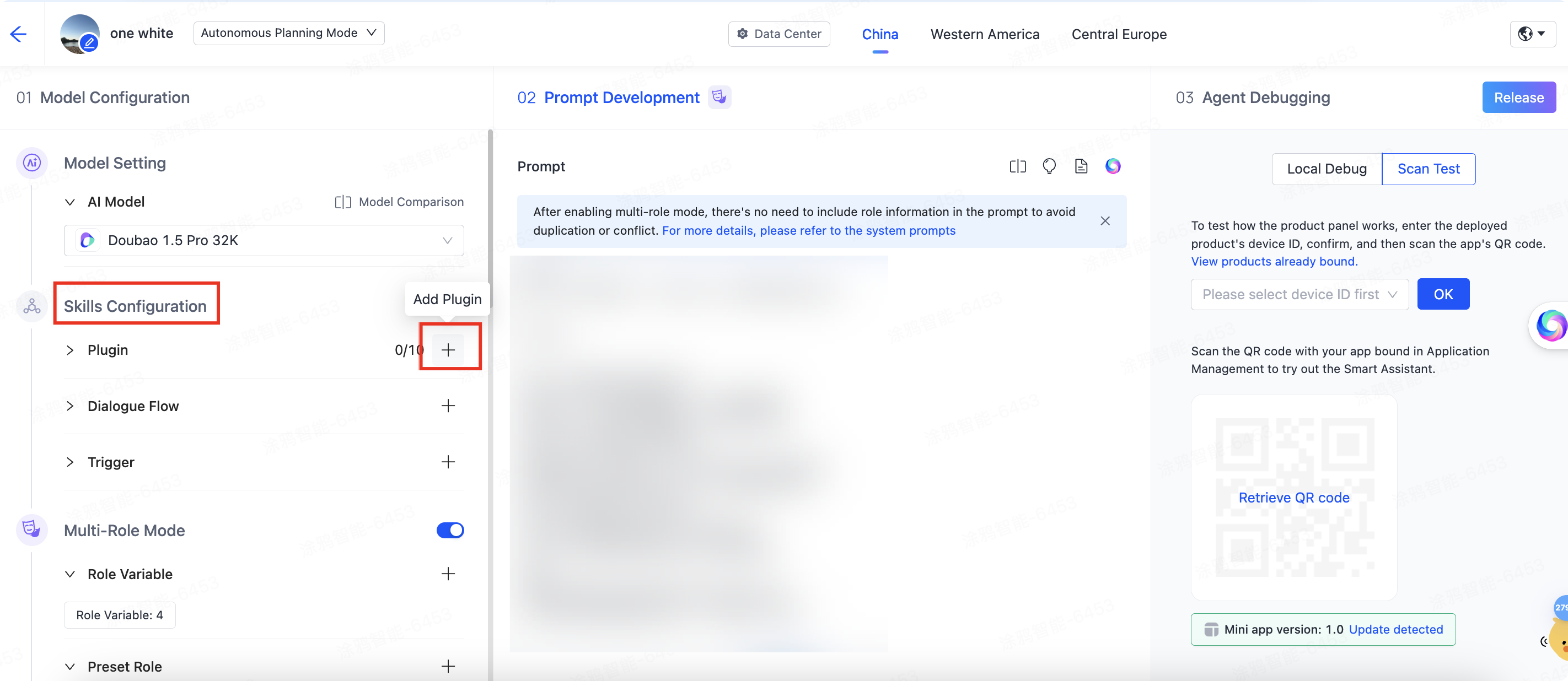
Plugin add button under Skills Configuration -
On the Add Tool page, add official or custom MCP service tools to your agent.
For more information, see Add a server to an agent.
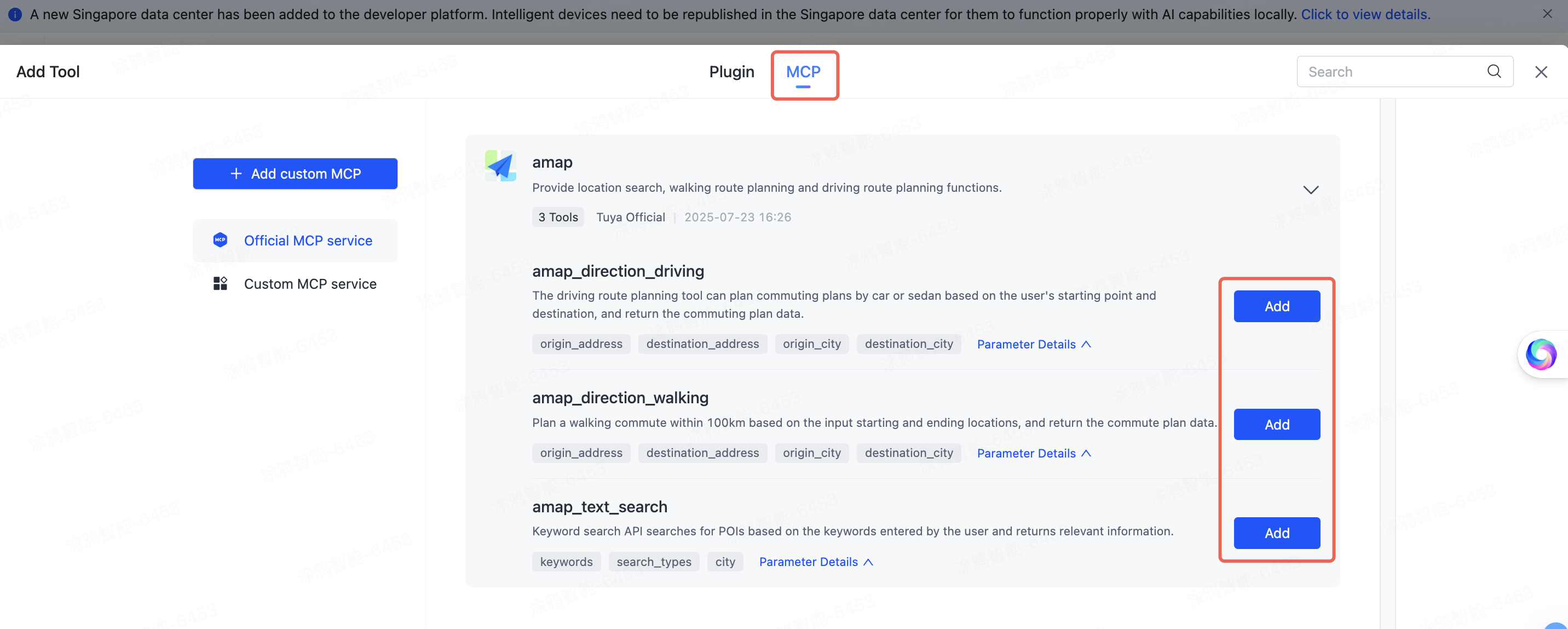
Add Tool page
Billing
Calling MCP tools counts towards the agent's usage, and every device has a free allowance of that each day. Only what runs past the daily allowance is charged.
For the current allowance and unit prices, see the AI billing rules.
See also
- Custom MCP Services — create, configure, and debug your own MCP server.
- Agent OpenAPIs — integrate Tuya-powered agents with your own platform.