Create the platform
tos.py new platform creates a porting template for a new hardware platform. The command generates a complete directory structure and the basic code files needed to adapt TuyaOpen to new hardware.
This command is for developers who want to port TuyaOS to a hardware chip or board that is not officially supported yet.
The new platform command greatly reduces the work of porting TuyaOS to new hardware. You do not create all the required files and directories by hand. Run the command, then focus on implementing the hardware-specific driver code in the generated template files (.c and .h).
Operation principle
-
Run
tos.py new platform. The command prompts you for the name of the new platform, for examplemy_new_chip.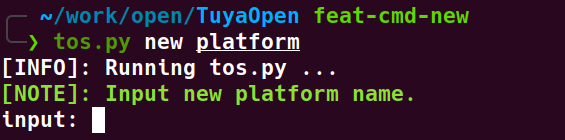
Prompt to input the new platform name -
Generate the Kconfig configuration:
- The command creates a top-level
Kconfigfile to integrate the new platform into the project's configuration system. - A
menuconfiginteractive interface opens, where you select which basic features (such as WIFI, BLE, GPIO, and I2C) the new platform supports. Your selections are saved in adefault.configfile.
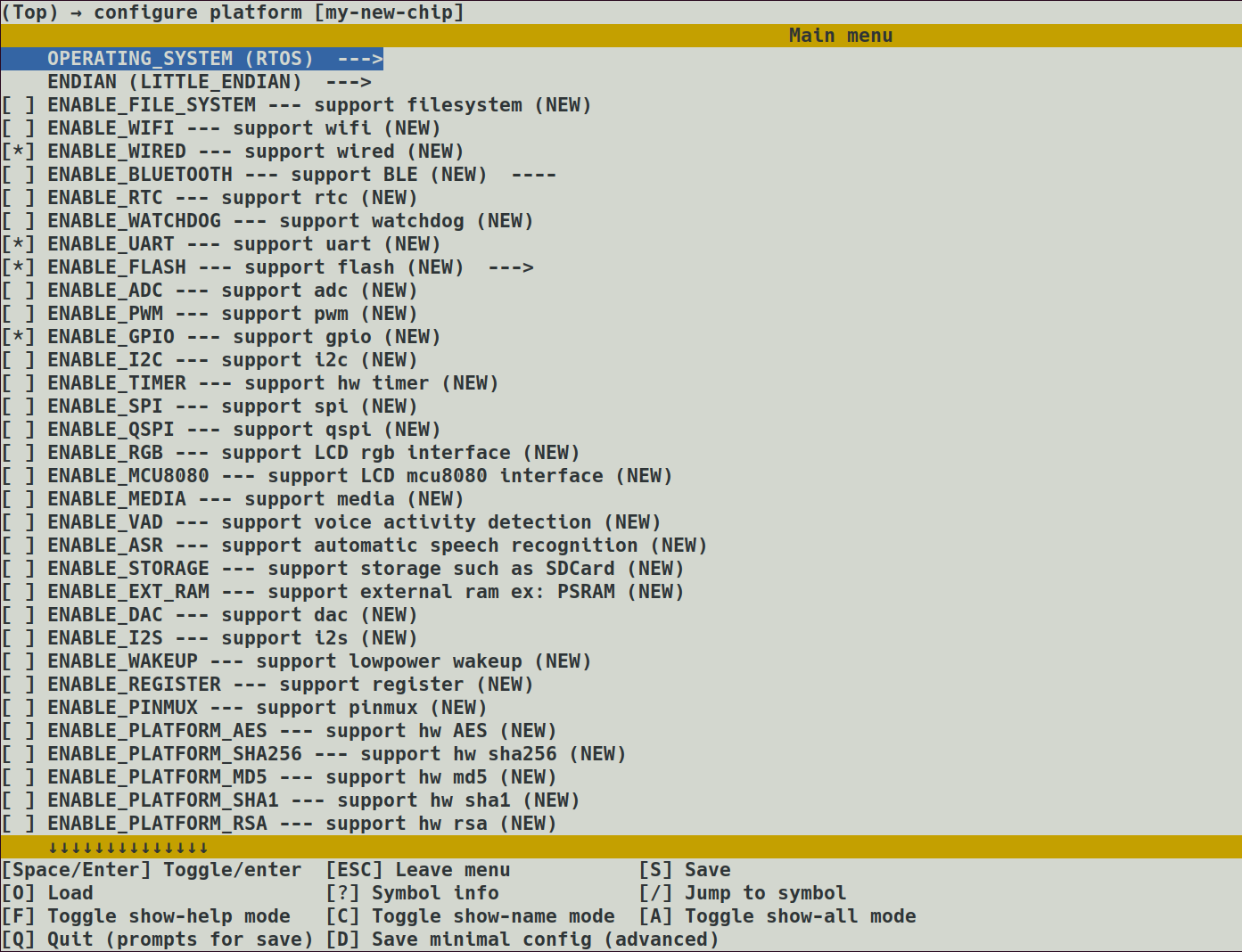
menuconfig feature selection interface - The command creates a top-level
-
Create the platform directory. The command creates a folder named after your input (for example
platform/my_new_chip) under theplatform/directory.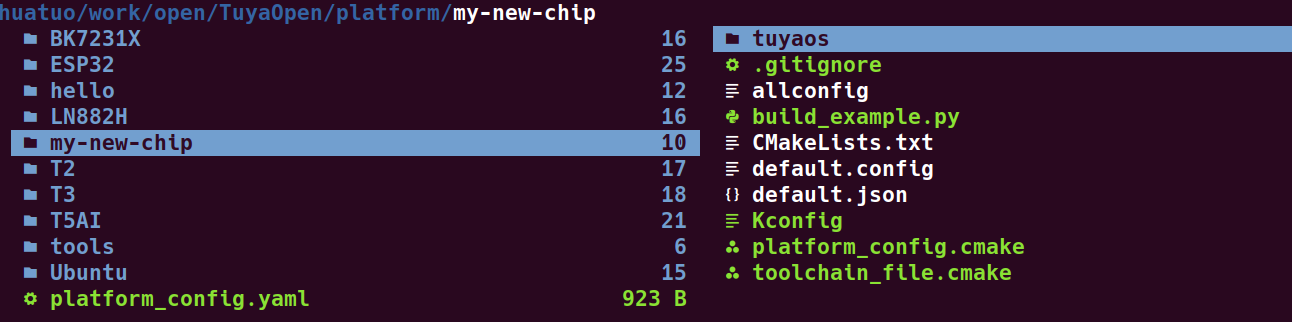
New platform folder under the platform directory -
Copy the adapter layer templates. Based on your selections, the corresponding Tuya Kernel Layer (TKL) interface templates are copied from the
tools/porting/adapterdirectory toplatform/my_new_chip/tuyaos/.For example, if you select the WIFI feature, the WIFI template files such as
tkl_init_wifi.candtkl_init_wifi.hare copied over.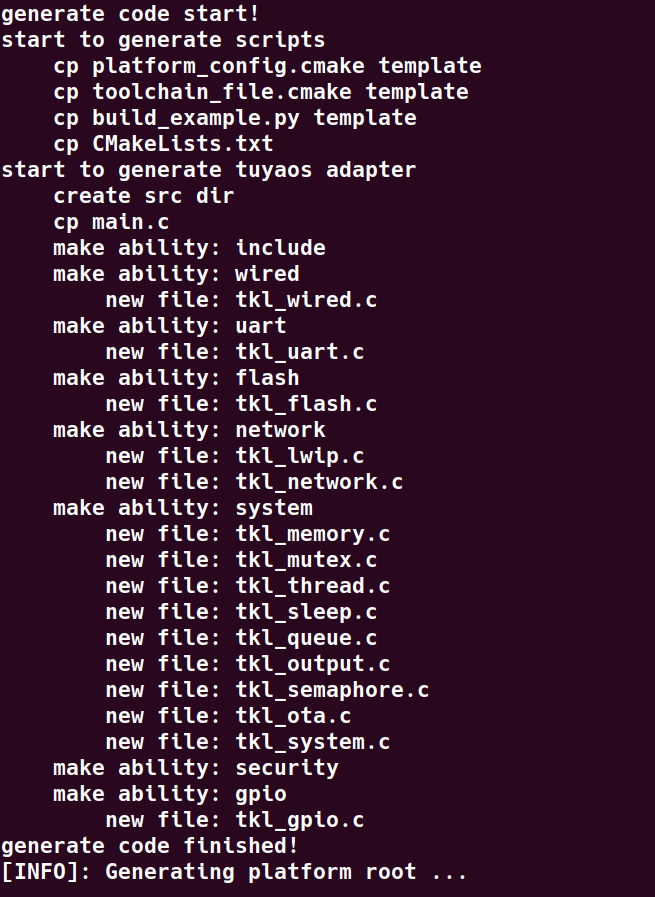
Copied TKL adapter template files -
Create the board-level configuration. A folder with the same name (for example
boards/my_new_chip) is also created under theboards/directory, with a correspondingKconfigfile that adds the new platform as an option in the build system.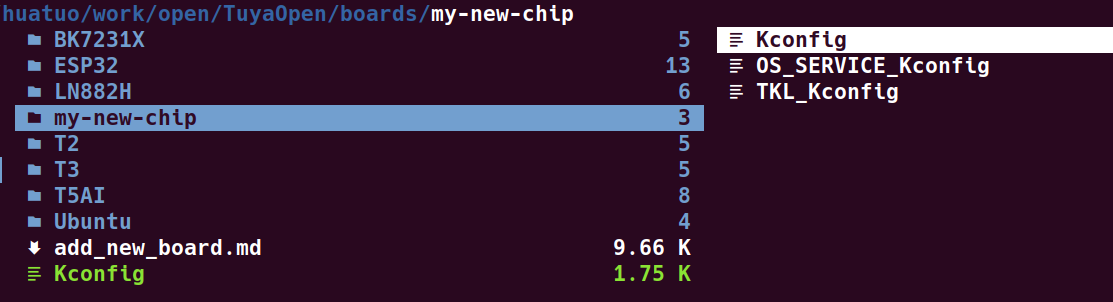
New board folder under the boards directory -
Verify the build. Run
tos.py new projectto create a new project, select themy_new_chipplatform, then runtos.py buildto build and verify.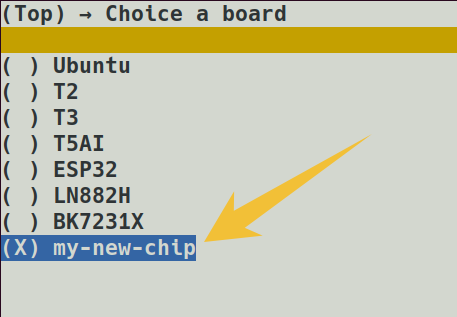
Creating a new project with the new platform 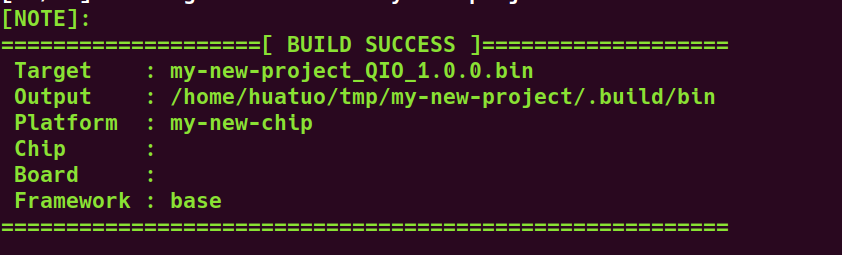
Successful build of the new platform
Next steps
After creating the platform template, complete the following:
- Modify
platform/my_new_chip/platform_prepare.pyfor platform initialization, such as the toolchain download. - Modify
platform/my_new_chip/toolchain_file.cmaketo configure the actual paths of the build tools and the build options. - (Optional) Modify
platform/my_new_chip/platform_config.cmaketo configure header file paths used by the application layer. - Fill in the actual hardware driver code in the
platform/my_new_chip/tuyaos/tuyaos_adapter/srcdirectory. - Modify
platform/my_new_chip/build_example.pyto complete the build and link steps. - (Optional) Modify
platform/platform_config.yamlto configure repository git information.
Platform initialization
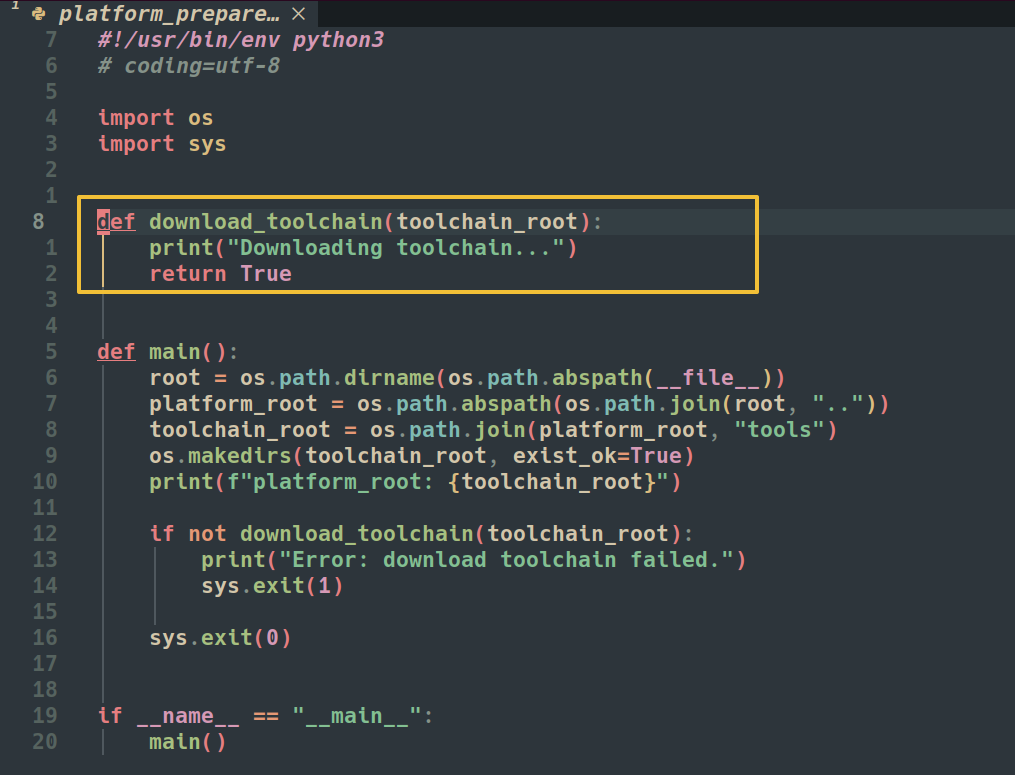
Modify platform/my_new_chip/platform_prepare.py for platform initialization, such as the toolchain download.
This script runs first during the build process. Complete the required build tool downloads in it. Download the toolchain to the platform/tools directory. You can develop the download logic yourself or refer to other official platforms (T5AI, ESP32).
If other operations must complete before compilation, implement them in this script as well.
Configure build tools
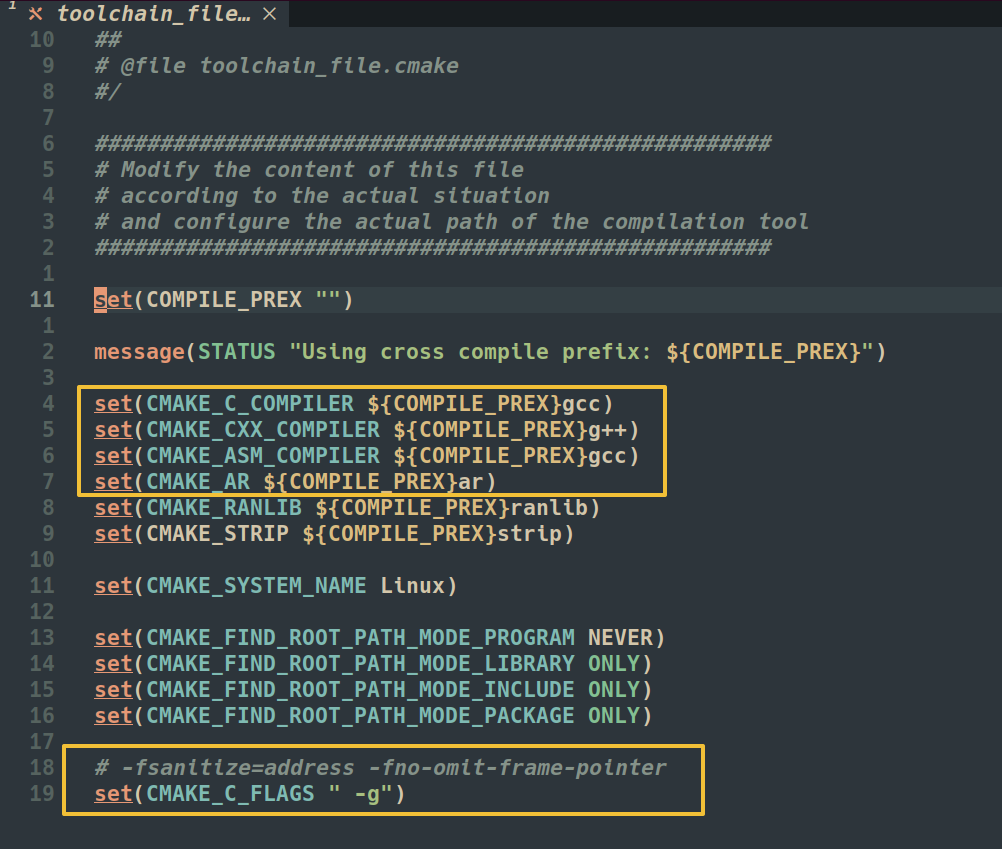
Modify platform/my_new_chip/toolchain_file.cmake to configure the actual paths of the build tools and the build options.
This file specifies the actual paths of build tools such as gcc, g++, and ar, as well as the build options.
Configure special header file paths (optional)
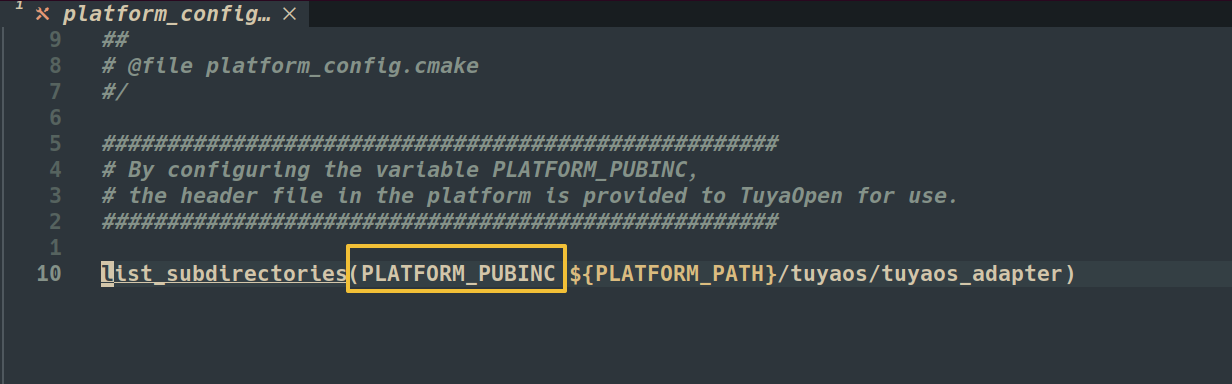
Modify platform/my_new_chip/platform_config.cmake to configure header file paths used by the application layer.
- By the cross-platform design of
TuyaOpen, this file should only include header file paths related totuyaos_adapter, which the template already generates. - If your platform needs to expose other header files to the application layer, add them in this file.
- The
PLATFORM_PUBINCvariable specifies the header file paths used by the application layer. Modify it to add header file paths.
Fill in the code
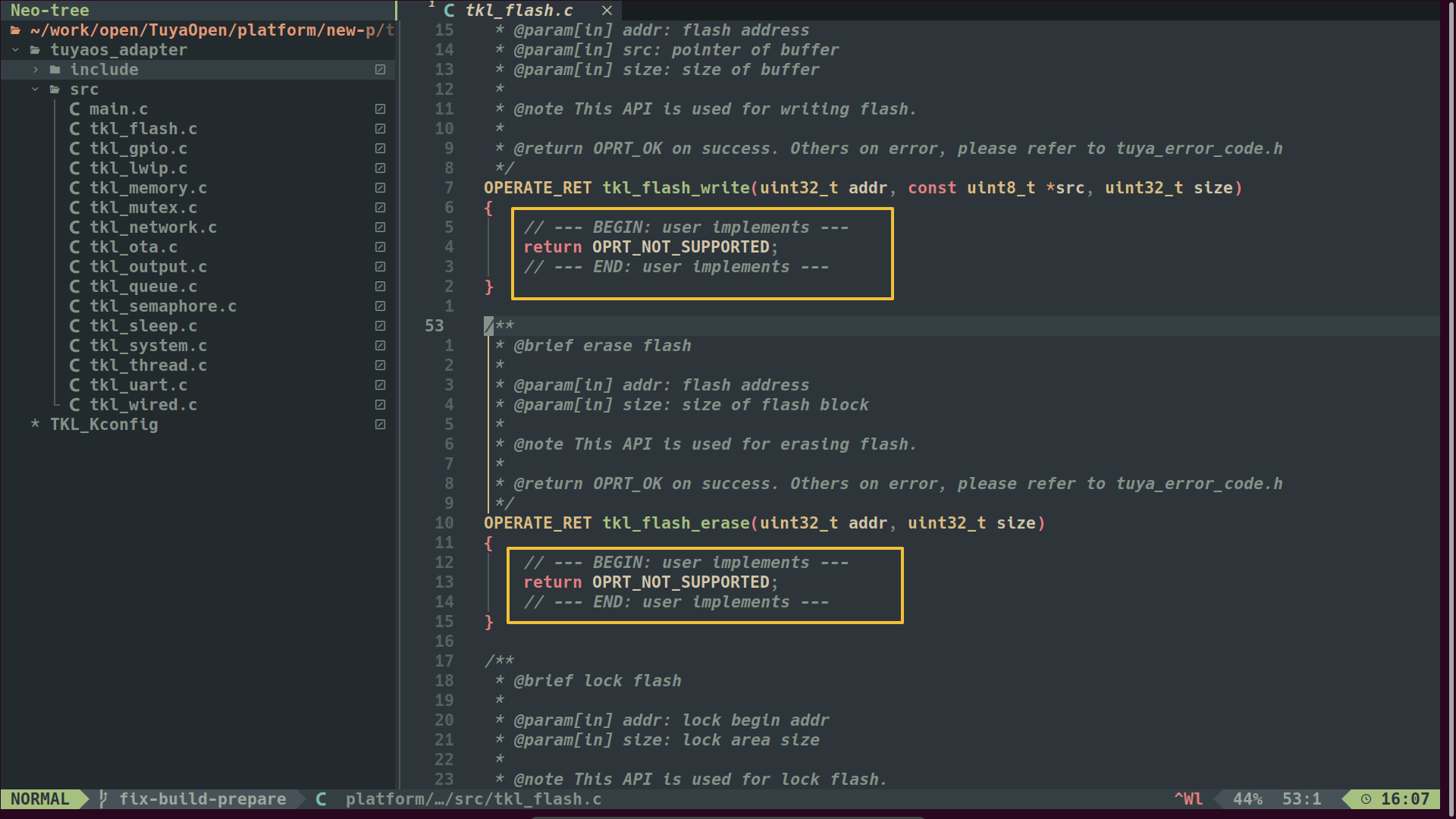
Fill in the actual hardware driver code in the platform/my_new_chip/tuyaos/tuyaos_adapter/src directory.
This step is the most important part. You write the driver code according to the characteristics of your specific hardware platform.
The template creation generates the necessary interface function templates. Implement the specific logic of these functions in the corresponding .c files.
Because TuyaOpen uses exactly the same underlying interface as TuyaOS, you can follow the TuyaOS Porting Guide and the RTOS Porting Guide for adaptation.
Build and link
Modify platform/my_new_chip/build_example.py to complete the build and link steps.
Adjust this script according to the build method of the new platform. The script completes three steps:
- Compile the source files in the
tuyaos_adapterdirectory. - Compile the other source files the platform needs internally.
- Link the build products with the
TuyaOpenupper-layer productslibtuyaapp.a libtuyaos.ainto an executable file.
The script accepts two parameters: params_path and user_cmd.
-
params_pathis the path to the build parameter file. It provides three formats — cmake, config, and json — which you can access using${BUILD_PARAM_PATH}/build_param.cmake.The parameter file provides the parameters required for compilation, such as
OPEN_ROOT/OPEN_HEADER_DIR/OPEN_LIBS_DIR/PLATFORM_NEED_LIBS. The results of the feature configuration are also in this parameter file. -
user_cmdis a user-defined command. Possible values arebuildto compile the platform code andcleanto clean the build products. Implement the logic for each command in the script.
Firmware flashing (optional)
A newly adapted hardware platform may require a specific firmware flashing method, and the tyutool flashing tool that TuyaOpen uses does not provide a universal flashing script.
You can submit an issue in the tyutool repository to request official support.
Configure repository information (optional)
Modify platform/my_new_chip/platform_config.yaml to configure repository git information.
This step applies when you provide the new platform to other developers. If you use it locally, you can skip this step.