IDE Log Feedback
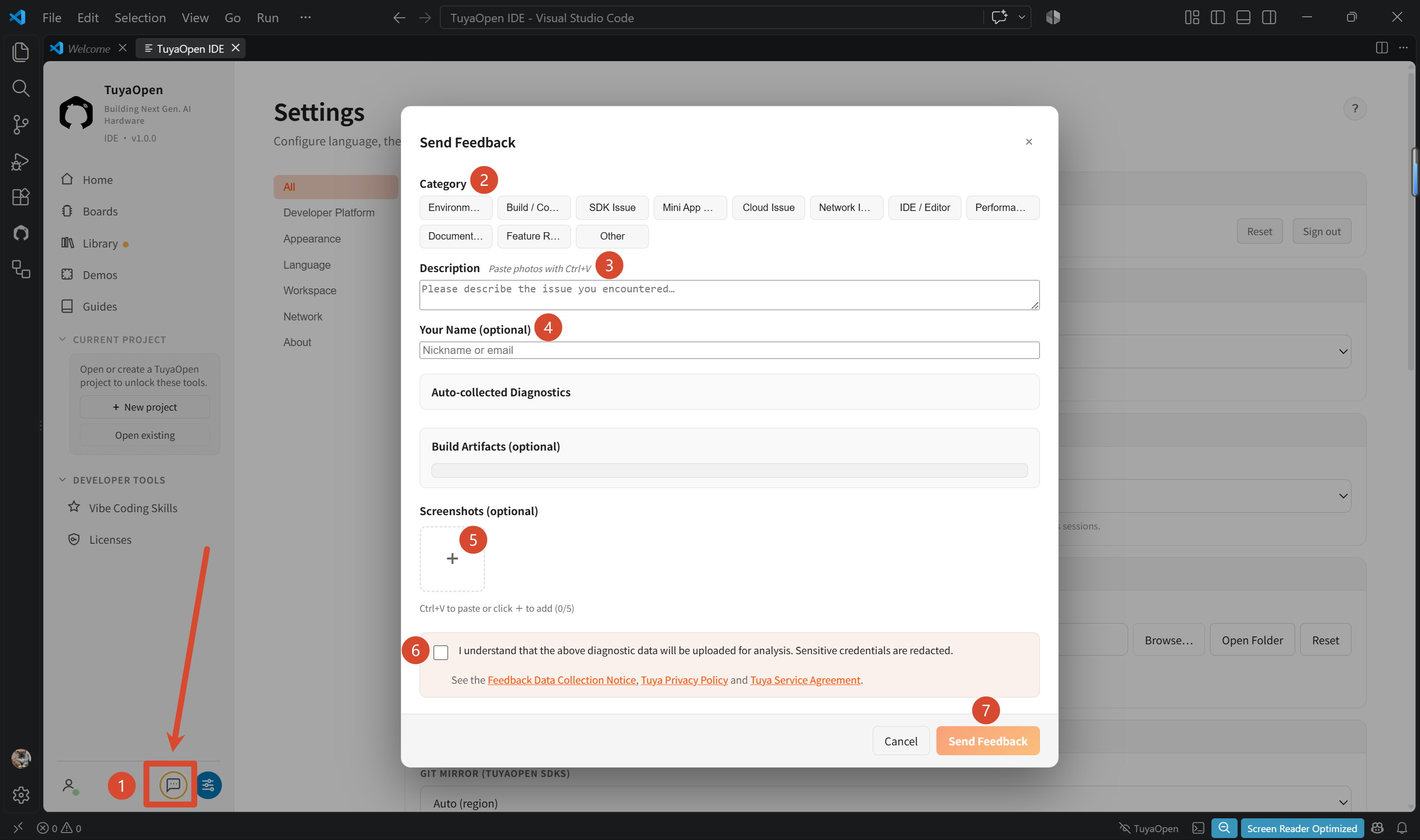
Use the feedback entry in TuyaOpen IDE to submit diagnostic information when you encounter a problem.
- Click the speech-bubble feedback icon in the lower-left corner of the IDE.
- Follow the on-screen instructions and complete the form. The required diagnostic information is collected automatically.
- Submit the feedback.