Get Started
Get Started walks you from a TuyaOpen license to a device that talks to the Tuya IoT Cloud. Read the terms below first, then get your license and the serial tool you need for every later step.
Terms and definitions
Before you start with TuyaOpen, get familiar with these key terms.
TuyaOpen dedicated license
The license is an encryption certificate that Tuya issues so a device can connect to the Tuya IoT operating system. Each device must be assigned a unique license for authentication, and that license grants a single device permission to connect to and access the cloud.
A license consists of a UUID and an AuthKey.
The TuyaOpen dedicated license applies to all TuyaOpen Framework components:
The TuyaOpen Framework requires a TuyaOpen dedicated license. Licenses from other sources, including TuyaOS licenses, cannot connect to the Tuya IoT Cloud within the TuyaOpen Framework.
UUID
A universally unique identifier (UUID) is a unique number generated by various algorithms to identify each device. A UUID is a 20-character string and does not change across operations such as repeated activation and pairing.
AuthKey
The AuthKey is the device authentication key issued by the platform. It is a 32-character string that maps one-to-one to the UUID and is strongly bound to the PID and UUID.
The AuthKey is used during device authentication. Keep its value safe and do not expose it.
PID
PID stands for product ID. Each product created on the platform is assigned a unique PID. A PID is associated with the details of a specific product, including the data points (DPs), the app control panel, and purchase information. Think of the PID as the identity card of the associated product.
Together, the PID, UUID, and AuthKey are called the device triplet.
Device ID
The cloud assigns a device ID each time the device is activated and paired. It links to the actual user device data tied to the account and app after a successful pairing. The device ID can change in certain scenarios and is reassigned after re-pairing and reactivation. For example, in the app, open the device panel, tap the top-right corner to open the device properties page, then tap Unbind and Clear Data.
Get TuyaOpen license
Choose one of the following methods.
-
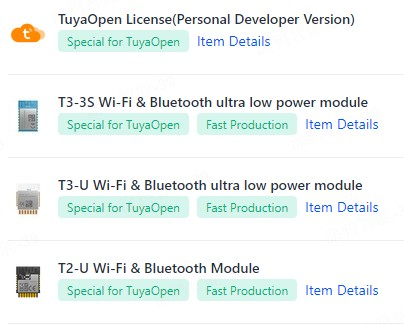
Method 1 — buy a pre-flashed module. Go to the Production page and purchase a module already flashed with a TuyaOpen license. The license is written into the module permanently during manufacturing and cannot be lost. TuyaOpen reads it automatically through the
tuya_iot_license_read()interface at startup. Check whether the modules you bought already include a TuyaOpen license. -
Method 2 — buy a license for a module without one:
- Purchase a TuyaOpen license on the Production page.
- Or purchase a TuyaOpen license on the Purchase page.
Preparations
Before you go further, make these preparations:
- Get a TuyaOpen license.
- Get Tuya's universal serial tool for firmware flashing, TuyaOpen license writing, serial debugging, and later operations.
Video guidance
- Linux/Mac — Install a Linux virtual machine, Configure SSH, Develop a demo
- Windows — Set up the environment, Develop a demo, Burning log
- Device networking — Finished result