Firmware Flash
This page is the complete reference for the Firmware Flash page: the connection bar, the four tabs (Flash / Erase / Read / Authorize), the chip list table, multi-segment flashing, erase presets, and the progress-and-log panel on the right.
Page overview
The page has three parts: the connection bar at the top, the operation card on the left (the four tabs), and the progress-and-log panel on the right.
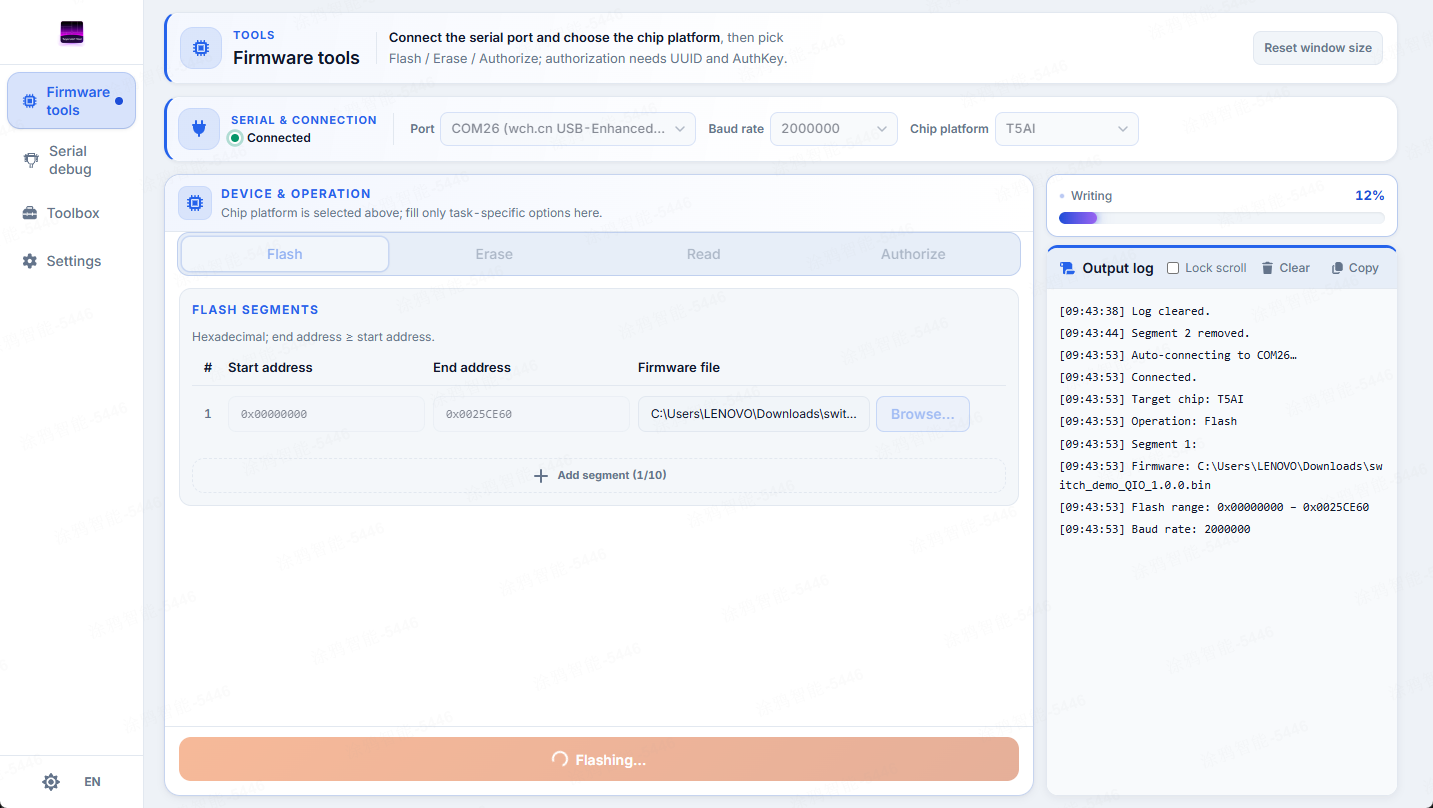
Flash page connection bar — serial dropdown, baud rate, chip selector, status dot.
Connection bar
- Serial (rescanned each time you open it)
- Baud rate —
115200/460800/921600/1000000/1500000/2000000, plus custom (300–4,000,000). Under the Authorize tab this is the authorization baud rate. - Chip selector — under Authorize, an extra
otheroption appears. - Status dot — green = connected and ready; gray/red = not connected or handshake failed.
tyutool connects automatically when you start an operation and releases the port when it finishes.
Select a chip
The authoritative chip list (source: chip-manifests.ts):
Chip (-d) | Flash baud | Auth baud | Flash capacity | Erase presets |
|---|---|---|---|---|
esp32 | 460800 | 115200 | 4 MiB | fullChip |
esp32c3 | 460800 | 115200 | 4 MiB | fullChip |
esp32c6 | 460800 | 115200 | 8 MiB | fullChip |
esp32p4 | 460800 | 115200 | 16 MiB | fullChip |
esp32s3 | 460800 | 115200 | 16 MiB | fullChip |
t5ai (alias t5) | 921600 | 115200 | 8 MiB | authInfo, fullChipNoRf |
t1 | 921600 | 115200 | 8 MiB | authInfo, fullChipNoRf |
t3 | 921600 | 115200 | 4 MiB | authInfo, fullChipNoRf |
t2 | 921600 | 115200 | 2 MiB | authInfo, fullChipNoRf |
bk7231n | 921600 | 115200 | 2 MiB | authInfo, fullChipNoRf |
ln882h | 115200 | 115200 | 2 MiB | fullChip |
other (auth only) | — | 115200 | — | none |
t5ai is selected by default; the legacy t5/T5 aliases normalize to t5ai.
The flash baud is adjustable, but going above 2000000 is not recommended.
Erase requires 4 KiB alignment (a multiple of 0x1000); only other is exempt.
Flash tab — flashing
Multi-segment flashing: up to 10 segments, each with a firmware path (.bin/.hex/.elf/.img) plus a start/end address (hexadecimal). A new segment's start defaults to the previous segment's end; once you pick firmware, the end address is auto-computed as start + file size. The Flash button is only enabled once every segment is filled in.
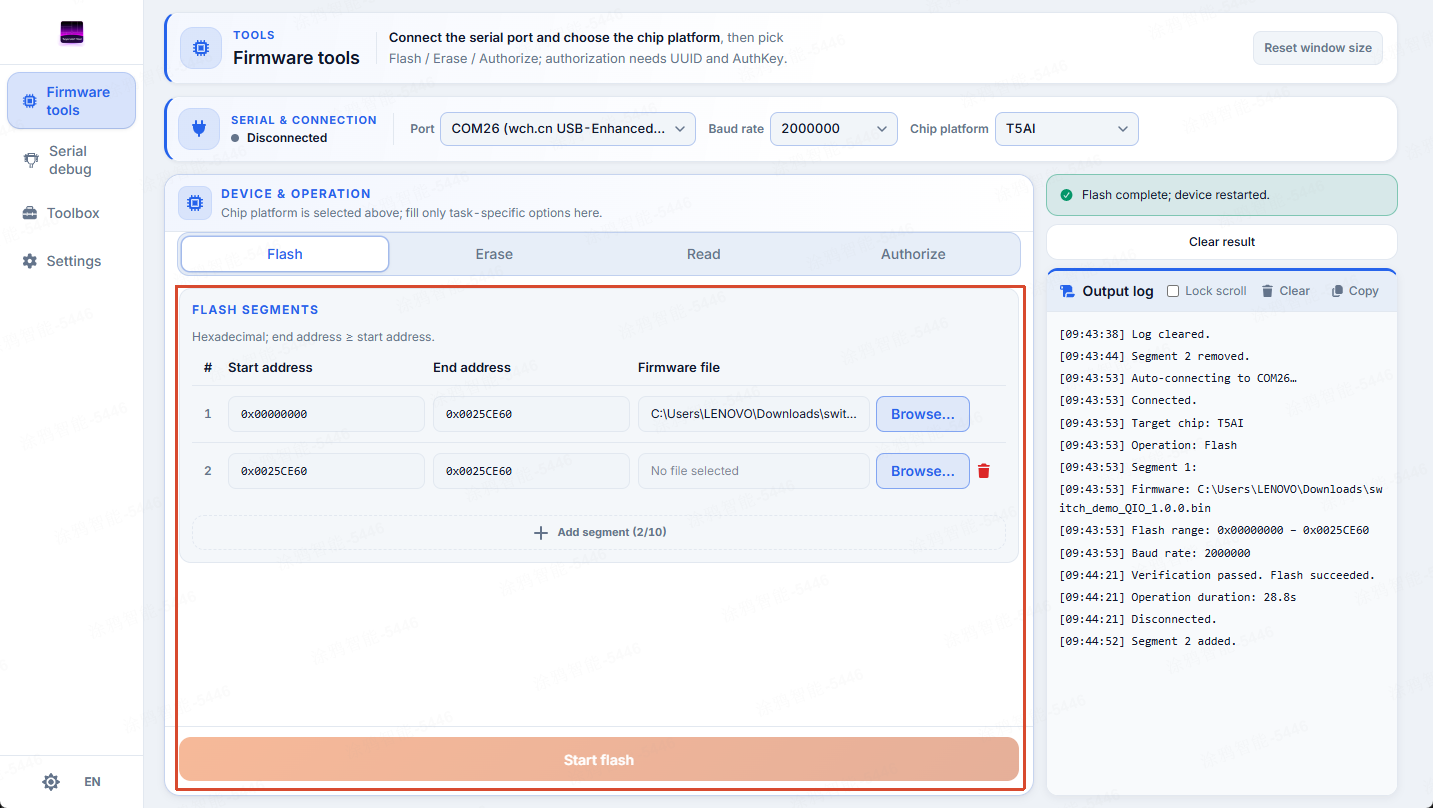
Flash tab — multi-segment flashing with firmware path and start/end addresses.
Typical use case: write a bootloader + app in one pass.
Erase tab — erasing
Erase by address (alignment is validated in real time) or use an advanced erase preset (same meanings as in Concepts: authInfo / fullChipNoRf / fullChip). A confirmation dialog runs before execution; when an address is unaligned, an "align" action is offered.
Erase is irreversible. A full-chip erase that clears the RF cal region may leave the device unable to connect to a network. Back up first.
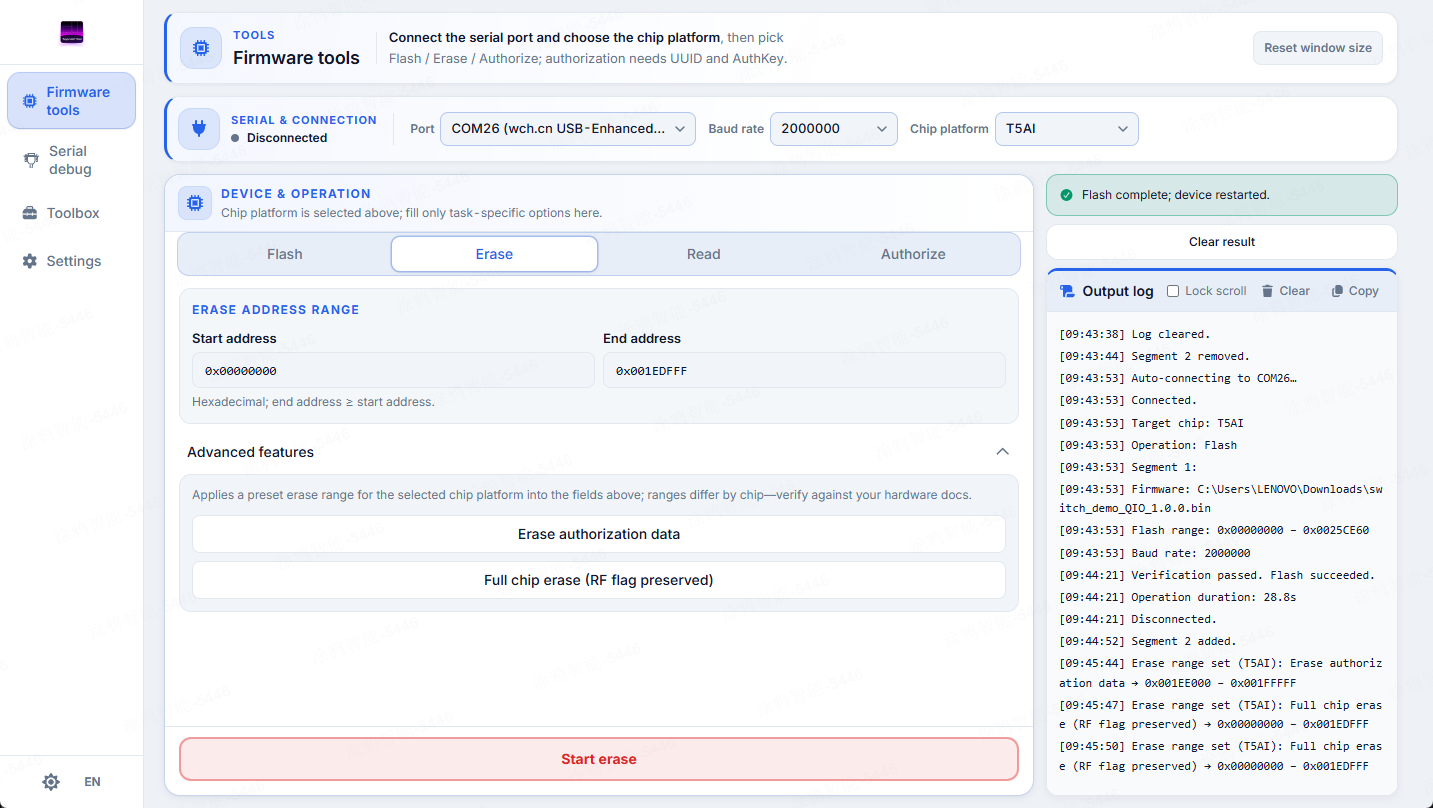
Erase tab — erase by address and the advanced erase presets.
Read tab — reading
Used for backup. Choose the save directory (Tauri) or let the browser download; the default filename is tyutool_read_<chip>.bin; the end address defaults to the chip's full capacity (whole-chip read). If the file already exists, choose to overwrite or append a timestamp.
Some chips do not support reading.
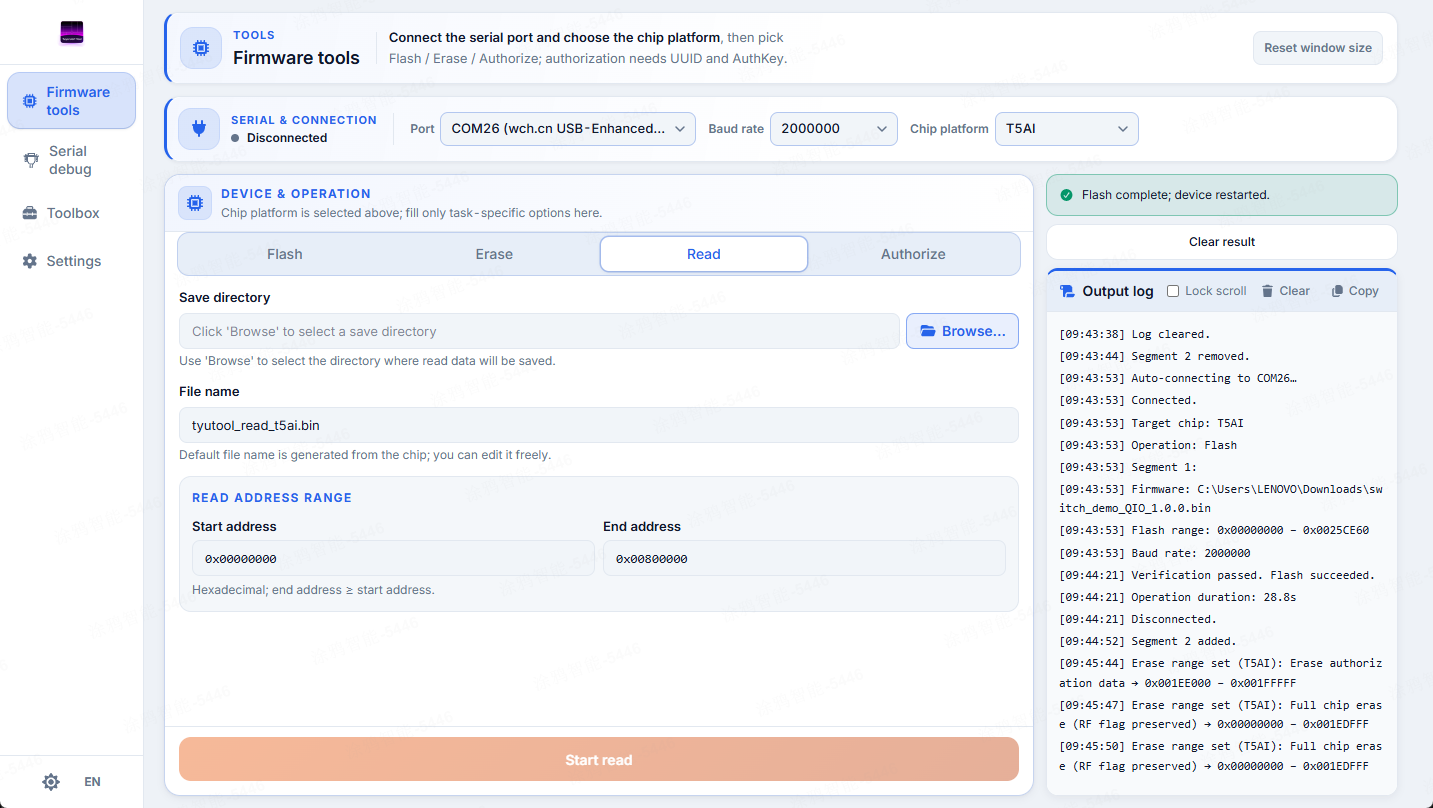
Read tab — read the flash to a file for backup.
Authorize tab — authorizing
TuyaOpen UART authorization writes UUID + AuthKey (shown masked, not copyable); a Copy credentials button is available. External links point to TuyaOpen authorization purchase and the localization docs. Operations:
- Read Auth — reads authorization, only holds the port, writes nothing.
- Authorize — writes; requires
UUID+AuthKeyfilled in first and runs a confirmation flow.
Keep your credentials safe (they are purchased). The other chip supports authorization only and has no flash plugin.
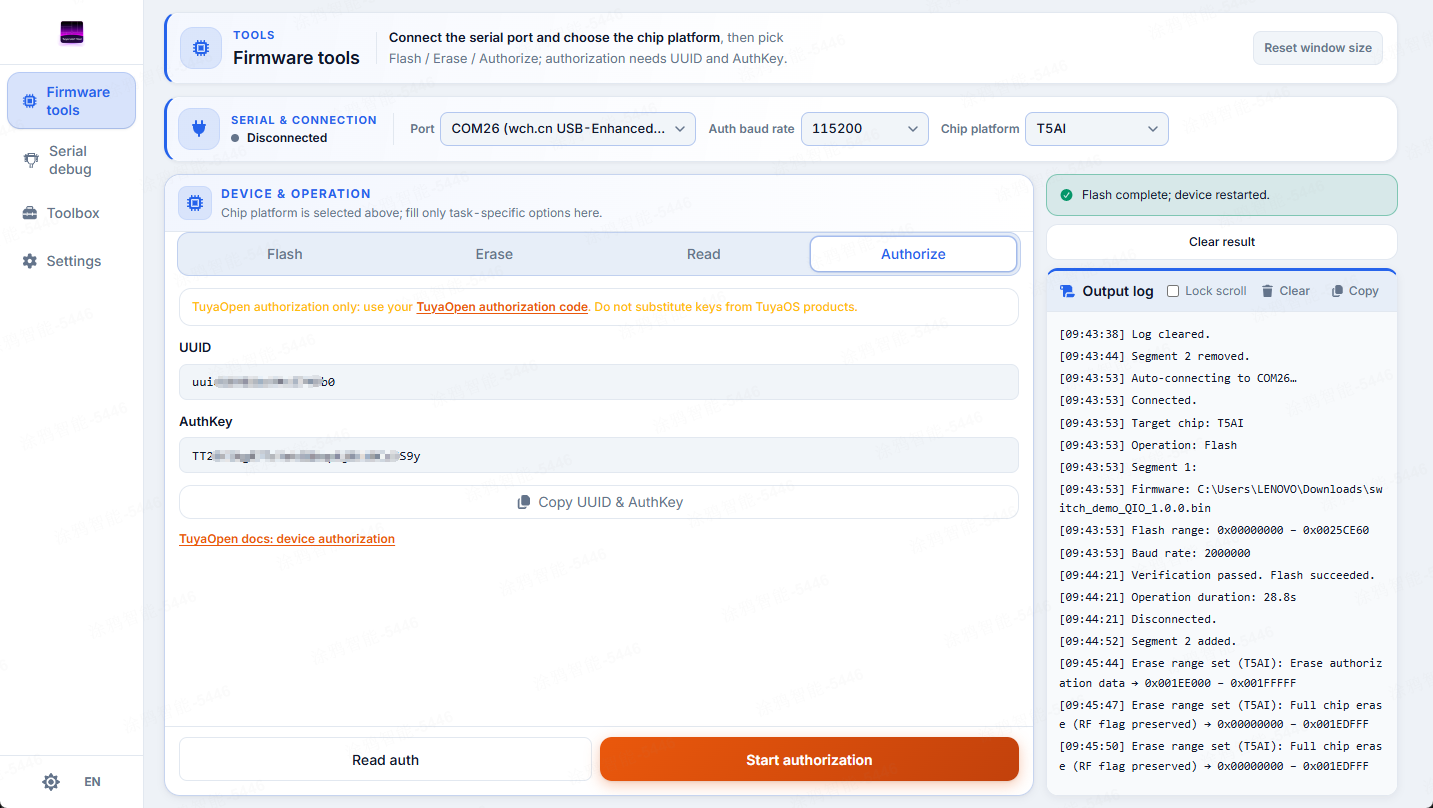
Authorize tab — UUID/AuthKey entry (masked), read-auth and authorize actions.
Progress and log
The always-on panel on the right: a phased progress bar (each phase has its own color, percentage, and indeterminate state) plus a log panel (toggle auto-scroll, clear, copy).
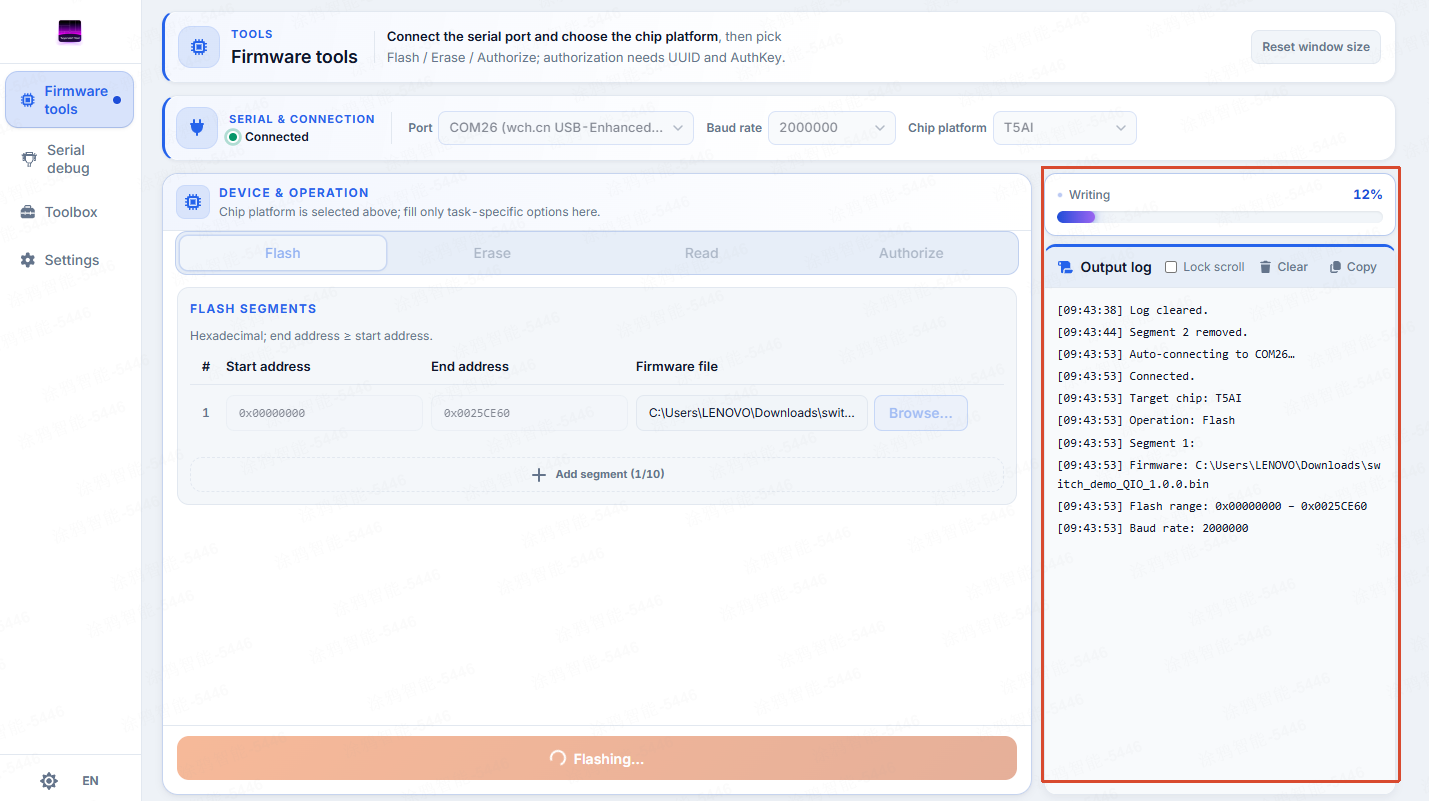
Progress bar and log panel — phased progress with log entries.
Port contention
The Flash page shares the same set of serial ports with the Serial Debug page.
When a port is busy, tyutool asks you to release it first; you can turn on auto-release in Serial Debug (see Serial Debug).