Serial Debug
This page is the complete reference for the Serial Debug page: a serial terminal and log monitor covering connection and UART configuration, device reset, ASCII/Hex log views, the send bar, the hex popup, keyword filter tabs, and auto-release and auto-save.
Overview
A full serial terminal. Keep-alive: if you jump to another page and come back, the background RX stream is not interrupted.
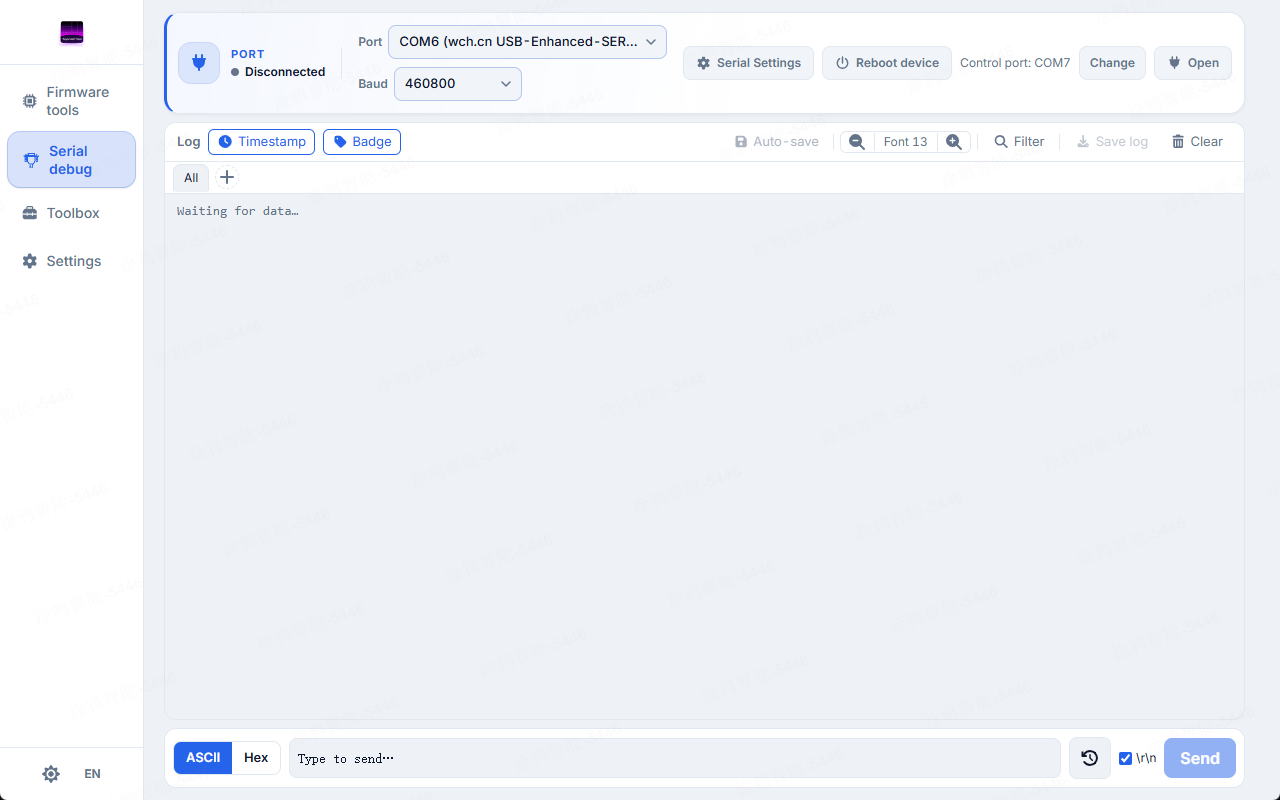
Serial Debug overview — terminal workspace with log view and send bar.
The serial ports here are shared with the Firmware Flash page.
Connection and serial config
Serial selection (rescan) / connect-disconnect / status indicator. The advanced UART settings live in the serial-settings dialog:
| Parameter | Options | Notes |
|---|---|---|
| Baud rate | 9600–921600 + custom | When unset, defaults to the current flash chip's log baud rate |
| Data bits | 5 / 6 / 7 / 8 | Data bits per frame |
| Parity | none / odd / even | None / odd / even |
| Stop bits | 1 / 1.5 / 2 | Stop bits per frame |
Pick a chip on the Flash page first and the Serial Debug baud rate aligns to it automatically.
Device reset
Reset via DTR/RTS. Reset the current session port, or reset another controlled port (use the runtime chip id to target a different port).
Reset is not the same as disconnect.
Log view
ASCII view / Hex view (8/16/32 bytes per row); ANSI coloring toggle; font size 10–18px; timestamp toggle; direction badges (TX/RX/SYS); clear; export.
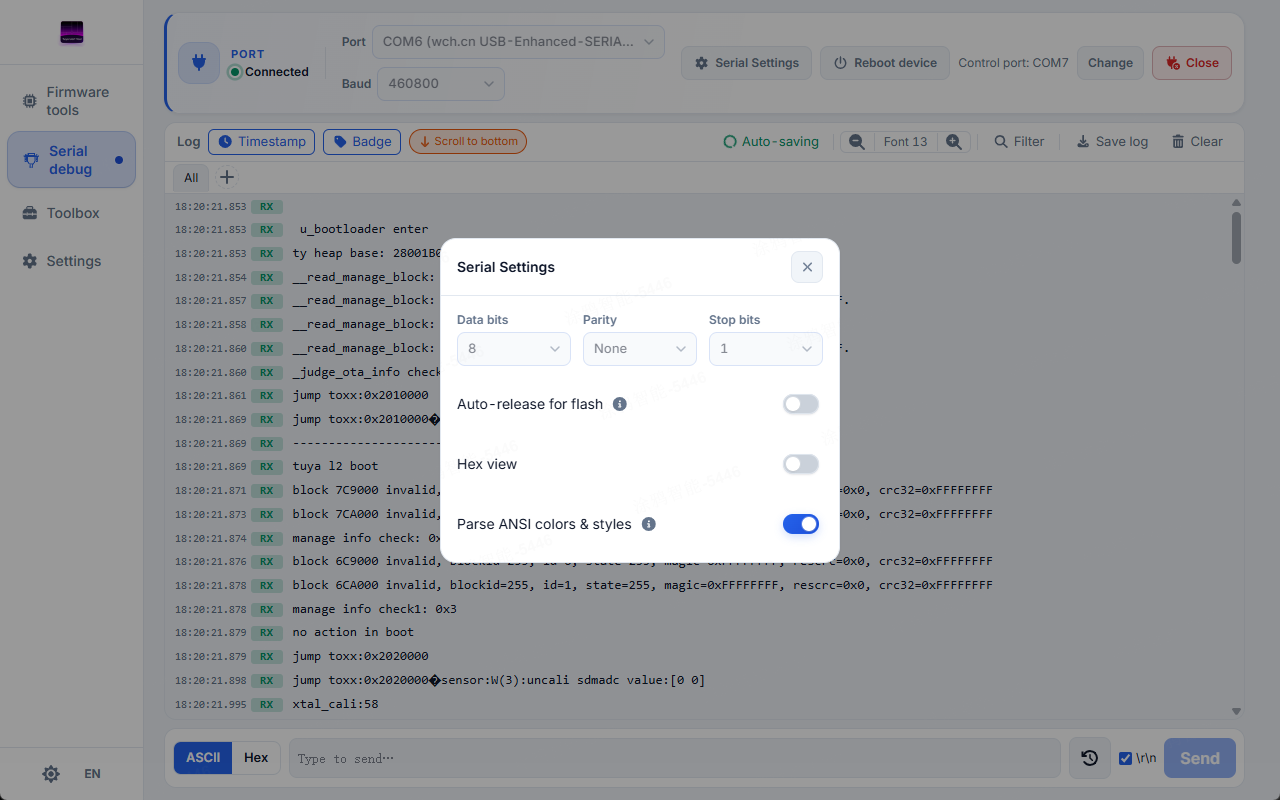
Log rows with RX badges and timestamps, with the Serial Settings dialog open — data bits, parity, stop bits, auto-release for flash, hex view, and ANSI color parsing.
Older rows are removed once the visible window exceeds 3000 lines. Use auto-save or export promptly.
Send bar
ASCII or Hex mode; optional \r\n; press Enter to send; history holds up to 20 entries, cycle with ↑ / ↓.
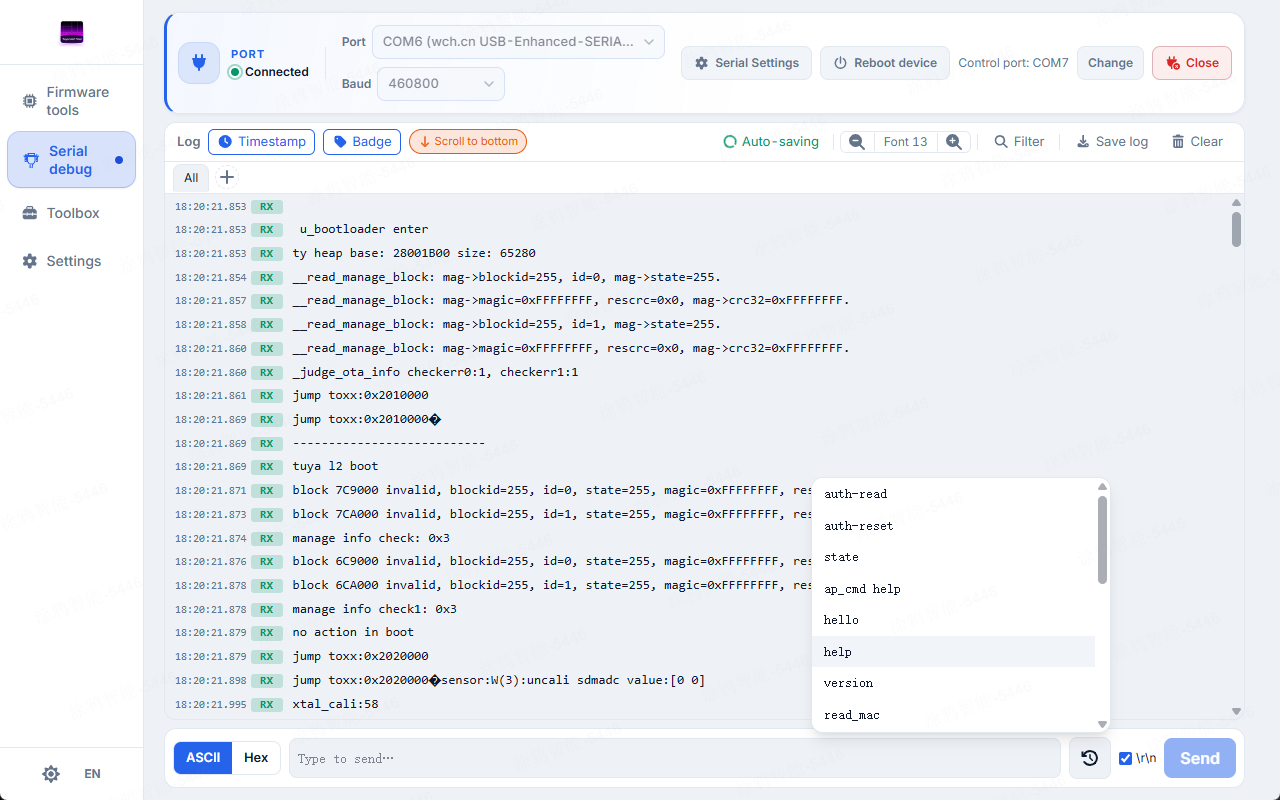
Send bar with a command list open above the input, and live log rows with RX badges in the background.
Hex popup
Select a span of RX data and the popup shows hex + ASCII side by side.
Useful for checking structured binary (protocol frames, authorization replies).
Filter tabs
Give each keyword its own tab. A keyword can be plain text or a regular expression; tabs cycle through six colors, count matches live, and clicking a tab shows only matching rows. "All" restores the full view and "Load earlier" pages back. Filtering runs server-side against the whole session.
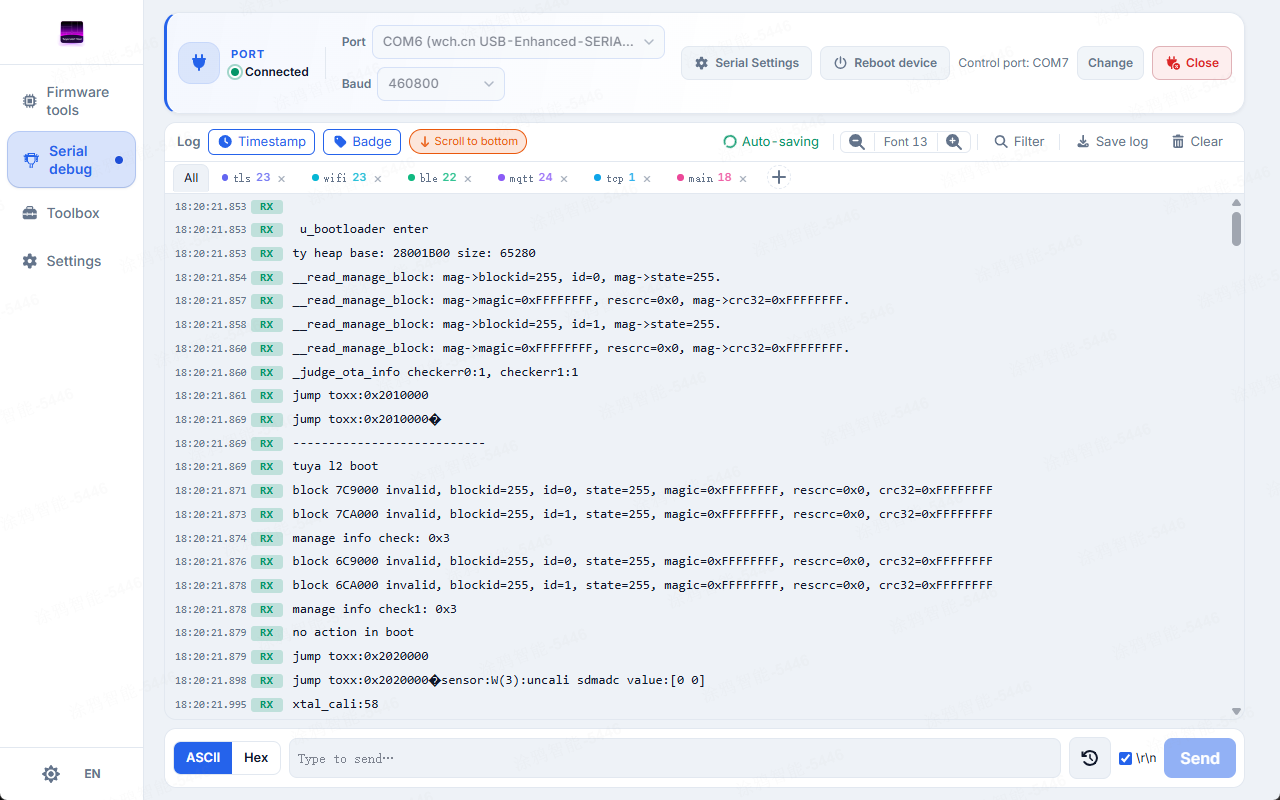
Filter tabs — keyword tabs with live match counts and color coding.
Auto-release / auto-save
- Auto-release solves port contention. When the Flash page needs a port, Serial Debug releases it automatically (an optional confirmation prompt can be turned on); once flashing finishes, the connection is restored automatically.
- Auto-save keeps the full session log (also configurable under Settings). Set the save directory; filenames are timestamped; writes are chunked (max 128 KiB).
Manual export = the current visible window; auto-save = the whole session.