How to Choose the Right AI Development Board for Your Project
Picking an AI development board looks straightforward on the surface, but it can quietly wreck your timeline if you get it wrong. The spec sheets all read impressively — GHz clocks, TOPS ratings, an alphabet soup of wireless protocols — but the number that actually matters is how well the board maps to the thing you're actually building. A board that's perfect for a desk-bound voice assistant is a terrible choice for a battery-powered wearable camera, and vice versa. With edge AI expanding across smart home, industrial, and wearable categories — and the TinyML Foundation tracking a steady wave of new microcontroller-class ML deployments — choosing the right hardware foundation matters more than it did a few years ago. Before diving in, it helps to understand the landscape: platforms like STMicroelectronics' STM32, NXP's EdgeVerse, and Espressif's ESP32 family each approach edge AI differently, and knowing those differences is the whole game.
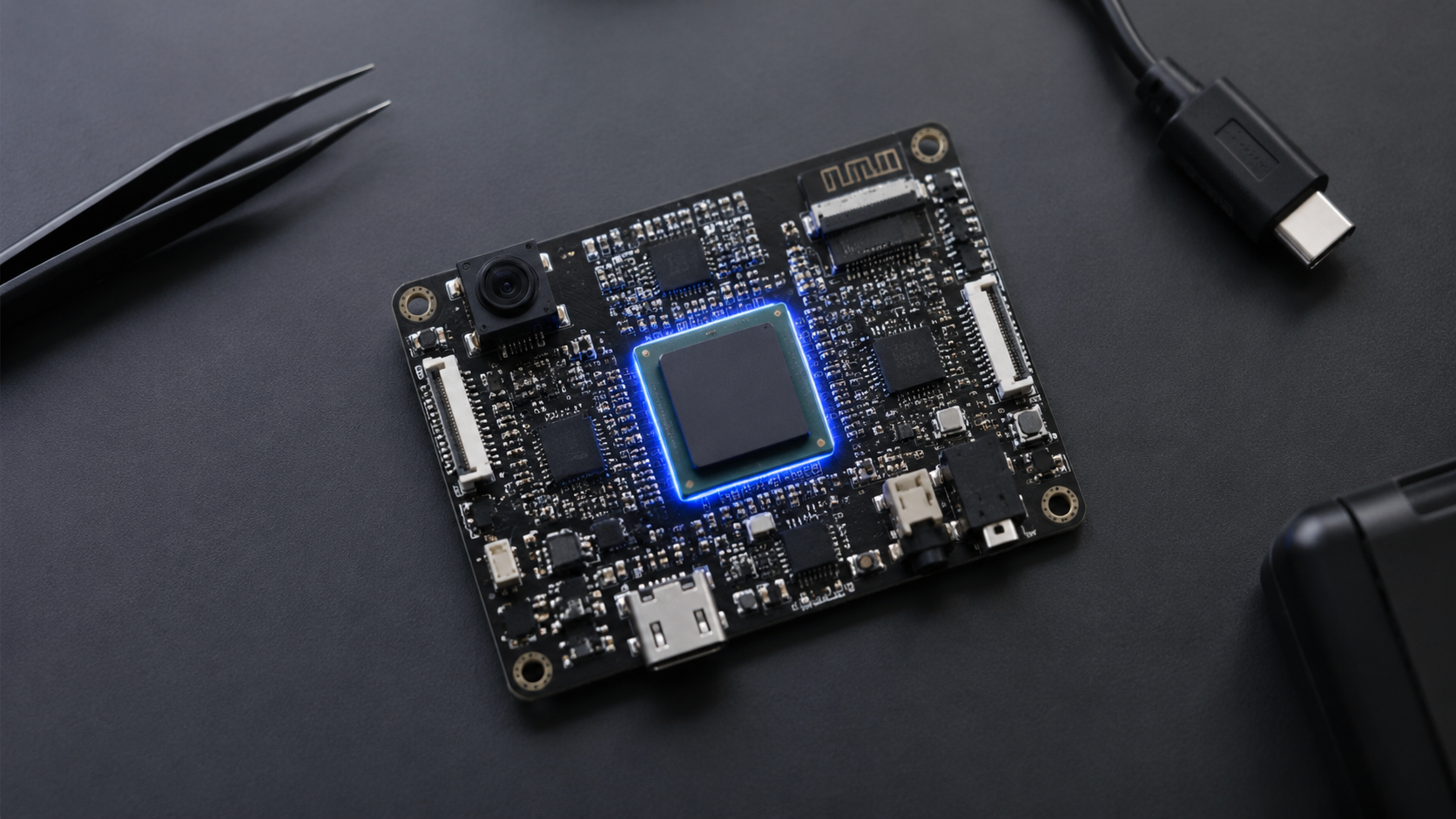
This guide covers the decision criteria that don't show up in marketing copy: processing architecture, peripheral integration, connectivity, power envelope, software ecosystem, and the path from prototype to production. Whether you're building a smart home device, a wearable, an edge AI vision system, or an AI companion gadget, this is the framework to use before you spend money on a dev kit. For a sense of what the full spectrum looks like, NVIDIA's Jetson line anchors the high-performance GPU end (heavy vision and robotics workloads), while the Raspberry Pi ecosystem anchors the general-purpose prototyping end — most MCU-class AI projects fall somewhere between them, and the criteria below are designed for that middle ground.
If you want to skip straight to a board that checks most of these boxes out of the box, the Tuya T5 AI development board is worth a look. It pairs a 480 MHz ARMv8-M core with on-chip Wi-Fi 6, Bluetooth 5.4 LE, camera interface, and audio processing, all running the open-source TuyaOpen SDK. The TuyaOpen GitHub repository has 1.8k+ stars, over 1.3 million developers on the platform, and an active community on Discord. But first, let's make sure you know exactly what to evaluate — and what most "best AI boards" roundups skip entirely.
Shopping for an AI dev board? The Tuya T5 dev kit ships pre-flashed with the TuyaOpen SDK and breaks out camera, LCD, audio, and USB-C — so you can start building the same day it arrives. Order the dev kit here.
What Exactly Is an AI Development Board?
An AI development board is a printed circuit board built for prototyping applications that run machine learning inference at the edge — meaning on the device itself, rather than shipping all your data to a cloud server and waiting for a response. That inference might be keyword spotting on a microphone stream, object detection on a camera feed, gesture recognition from an IMU, or a full multimodal AI agent that talks back.
The distinction matters because "AI board" gets thrown around loosely. Some boards carry a dedicated neural processing unit (NPU) that runs models in hardware. Others rely on a beefy CPU doing software inference through frameworks like TensorFlow Lite Micro or ONNX Runtime. Some are general-purpose microcontroller boards that happen to be fast enough for lightweight models. The right category depends entirely on what "AI" means in your context — and Edge Impulse, one of the most widely used edge ML platforms, is a good place to benchmark what's actually runnable on MCU-class hardware.
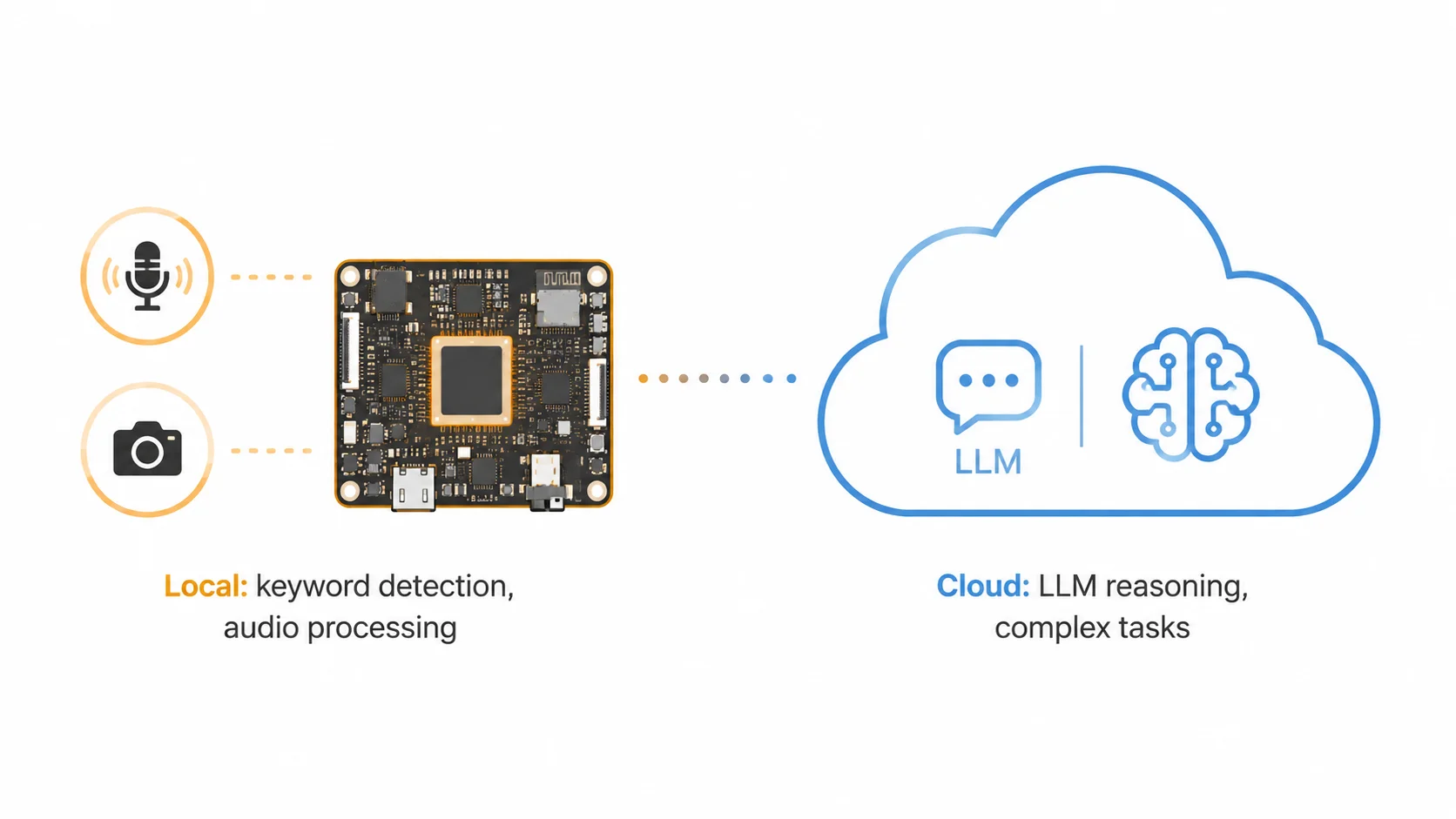
A voice-controlled smart home hub that does keyword wakeup locally and sends the actual query to an LLM in the cloud needs a modest MCU with a decent audio pipeline — not an NPU. A face-recognition doorbell that has to identify visitors in under 200ms without internet needs real inference horsepower, probably with an NPU or at least a CPU with vector extensions.
The TuyaOpen ecosystem takes a pragmatic approach here: the T5 chip handles local AI tasks like keyword wake-up and audio 3A processing on its 480 MHz ARM core, then hands off heavier reasoning to cloud-based LLMs (ChatGPT, Gemini, Qwen, and others) through an integrated SDK. That edge-cloud split is the right architecture for the majority of consumer AI devices shipping today.
The 7 Criteria That Actually Matter
1. Processing Power vs. Your Actual Workload
Everyone chases the biggest number on the spec sheet. Don't. What matters is matching your processor to your inference workload.
If your AI task is keyword spotting ("Hey Device" detection from a microphone), you need maybe 10-30 MHz of effective compute running a small CNN or DSP-based model. If you're running real-time object detection at 1080p, you need hundreds of GOPS or a very fast CPU with vector extensions.
The key question: does the board run your specific model at the latency you need? Not "can it run AI" in the abstract. Find your model framework (TFLite, ONNX, custom), check whether the board's SDK supports it, and benchmark. If the vendor can't show you a benchmark for a model similar to yours, that's a red flag.
For reference, the Tuya T5 runs TFLite-ready inference on its ARMv8-M Star Core with DSP and FPU acceleration, plus built-in KWS (keyword spotting) and audio 3A algorithms. That covers the local-AI side of most consumer gadgets without needing an external NPU.
2. Peripheral Integration
This is where projects live or die, and it's the criterion most "top 10 boards" articles skip.
Your AI application doesn't exist in a vacuum. It has to talk to sensors, displays, speakers, microphones, cameras, and whatever else your product does. Every external component you add means more PCB area, more BOM cost, more power draw, and more firmware to write and debug.
Here's what to look for on the board's peripheral roster:
- Camera interface: DVP or MIPI CSI? What resolution and frame rate? If you're building anything with vision, this is non-negotiable.
- Audio pipeline: I2S for digital microphones, built-in ADC/DAC for analog audio, DMA channels for continuous streaming without CPU overhead. For voice AI, audio 3A processing (AEC, NS, AGC) is essential for real-world performance.
- Display output: SPI, RGB, or MIPI DSI? If your device has a screen, the display driver needs to coexist with your AI workload without starving it of bus bandwidth.
- Storage: External flash or PSRAM for model weights. On-chip RAM is almost never enough for anything beyond tiny keyword-spotting models.
The T5 integrates a 1080p camera interface, audio codec with 3A processing, and display support directly on-chip. That kind of integration collapses a three-chip design into a single SoC — the difference between a prototype you can demo and a product you can manufacture at a reasonable cost.
Looking for a board with all these peripherals built in? The Tuya T5 dev kit breaks out every interface — camera, LCD, audio, USB-C — and ships pre-flashed with the TuyaOpen SDK so you can start coding the same day it arrives.
3. Connectivity: Wi-Fi, Bluetooth, or Both?
Most AI devices need to talk to something — a phone app, a cloud API, a local gateway, or other devices in the room. The connectivity options on your board determine what's possible and how much extra hardware you need.
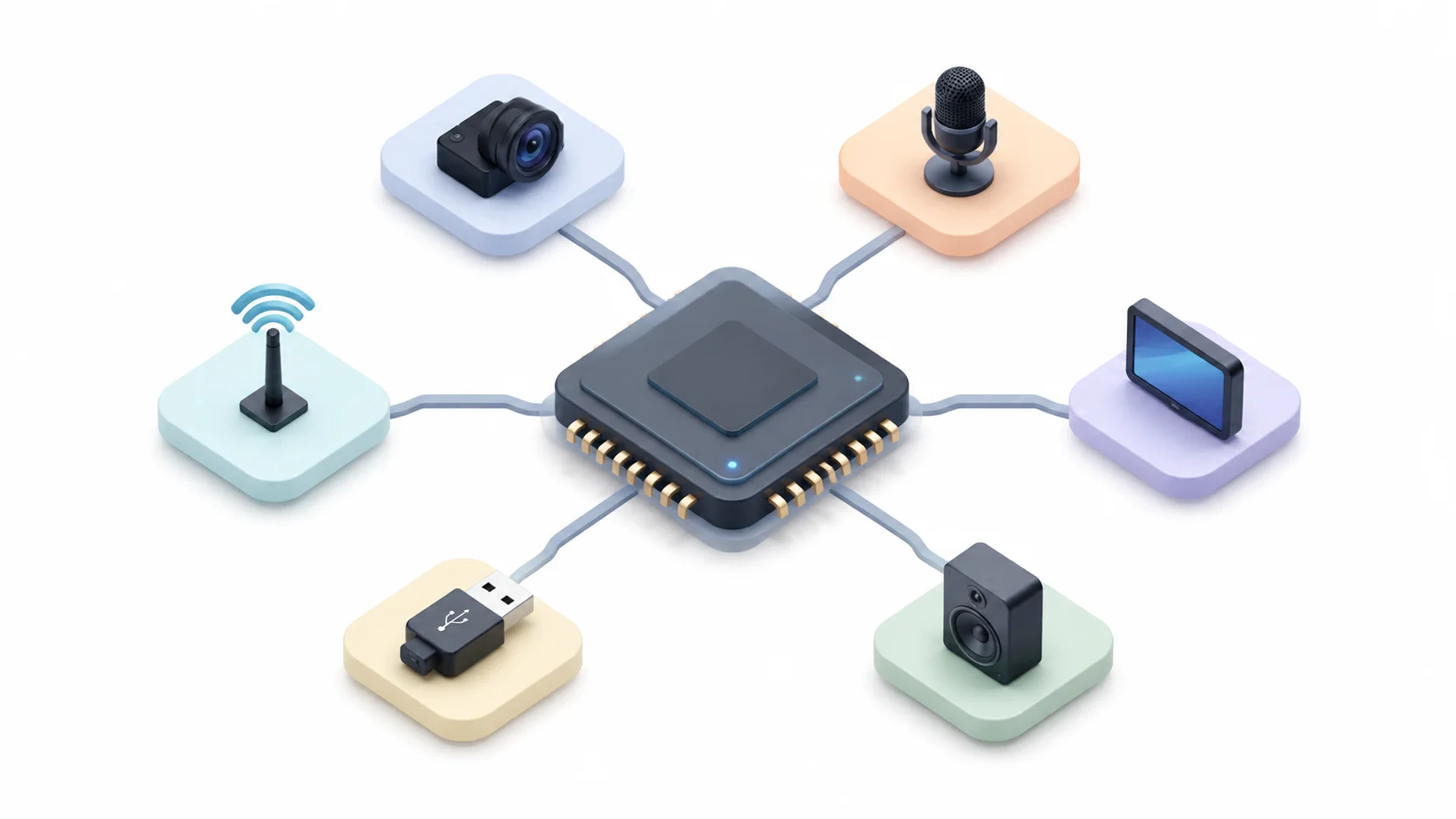
Wi-Fi 6 (802.11ax) is now table stakes for any IoT device that connects to the internet. Compared to Wi-Fi 5, it offers better power efficiency (Target Wake Time), lower latency, and more reliable connections in congested environments. If your board only supports Wi-Fi 4 or 5, you're building in obsolescence.
Bluetooth Low Energy matters for two things: initial device provisioning (the "how does my phone talk to this thing for the first time" problem) and ongoing low-power communication with nearby devices. BLE 5.4 brings meaningful range and throughput improvements over earlier versions.
Dual-mode Wi-Fi + BLE on a single chip eliminates the need for a separate connectivity module, saving board space and BOM cost. The T5 integrates both Wi-Fi 6 and BLE 5.4 LE on-chip, which is increasingly common in newer AI-capable MCUs but was rare just two years ago.
If you need Thread, Zigbee, or Matter for smart home interoperability, check whether the board supports these natively or through a co-processor. The TuyaOpen SDK handles cloud connectivity, device authentication, and OTA updates out of the box, which removes a big chunk of the networking firmware burden.
4. Power Envelope: Battery Life Is a Feature
If your device plugs into a wall, power consumption is a footnote. If it runs on a battery — especially a small one in a wearable or portable gadget — power is the entire design constraint.
The numbers that matter:
- Active power during AI inference: How many milliamps does the chip draw when running your model? This determines your battery size and runtime.
- Sleep current: What does the chip draw when it's idle but waiting for a wakeup event (voice keyword, motion sensor trigger, BLE advertisement)? For always-on devices, this number dominates battery life.
- Wakeup latency: How fast does the chip go from deep sleep to running inference? If it takes 500ms to wake up, your "always-on" voice assistant has a noticeable lag.
The T5 is built on a 22nm process and achieves 16μA in deep sleep — in the same ballpark as dedicated low-power MCUs that don't do AI at all. Combined with its local keyword wake-up, the chip can sit in ultra-low-power listening mode and only spin up the full CPU when it hears the trigger word. That's how you get an always-on AI device that runs for weeks on a small battery.
5. Software Ecosystem and SDK Quality
Hardware is only half the equation. A powerful chip with a garbage SDK is harder to develop on than a modest chip with great tools. This is arguably the most important criterion, and the one most people underestimate until they're three months into firmware development.
Evaluate the SDK on these dimensions:
- Documentation: Is it complete, current, and searchable? Or do you have to reverse-engineer example code and hope for the best?
- Example projects: Does the vendor provide working examples for common use cases — not just blinky LED demos, but actual AI applications with camera, audio, and cloud integration?
- Build system: Is it modern (CMake, or something sane) or a maze of Makefiles held together by shell scripts?
- Community: Is there an active developer community? A forum, Discord, or GitHub Discussions where you can get answers when you're stuck?
- AI framework support: Does the SDK integrate with the AI frameworks you need — TFLite, or direct APIs to cloud LLMs?
- IDE support: Can you use VS Code, or are you locked into a vendor-specific IDE?
TuyaOpen is open source under Apache 2.0, which means you can inspect every line of the SDK, fork it, modify it, and ship with it without licensing headaches. The TuyaOpen GitHub repository has working examples for cloud-connected AI agents, voice assistants, and vision applications. There's also a TuyaOpen IDE extension for VS Code and Cursor that handles build, flash, and debug in a single workflow — a real quality-of-life improvement over manually wrangling toolchains.
The T5 also supports multiple development paths beyond the C SDK: Arduino IDE for beginners with a large community and pre-built libraries, and Lua for lightweight script-based development. This flexibility means teams can choose the stack that matches their expertise and timeline.
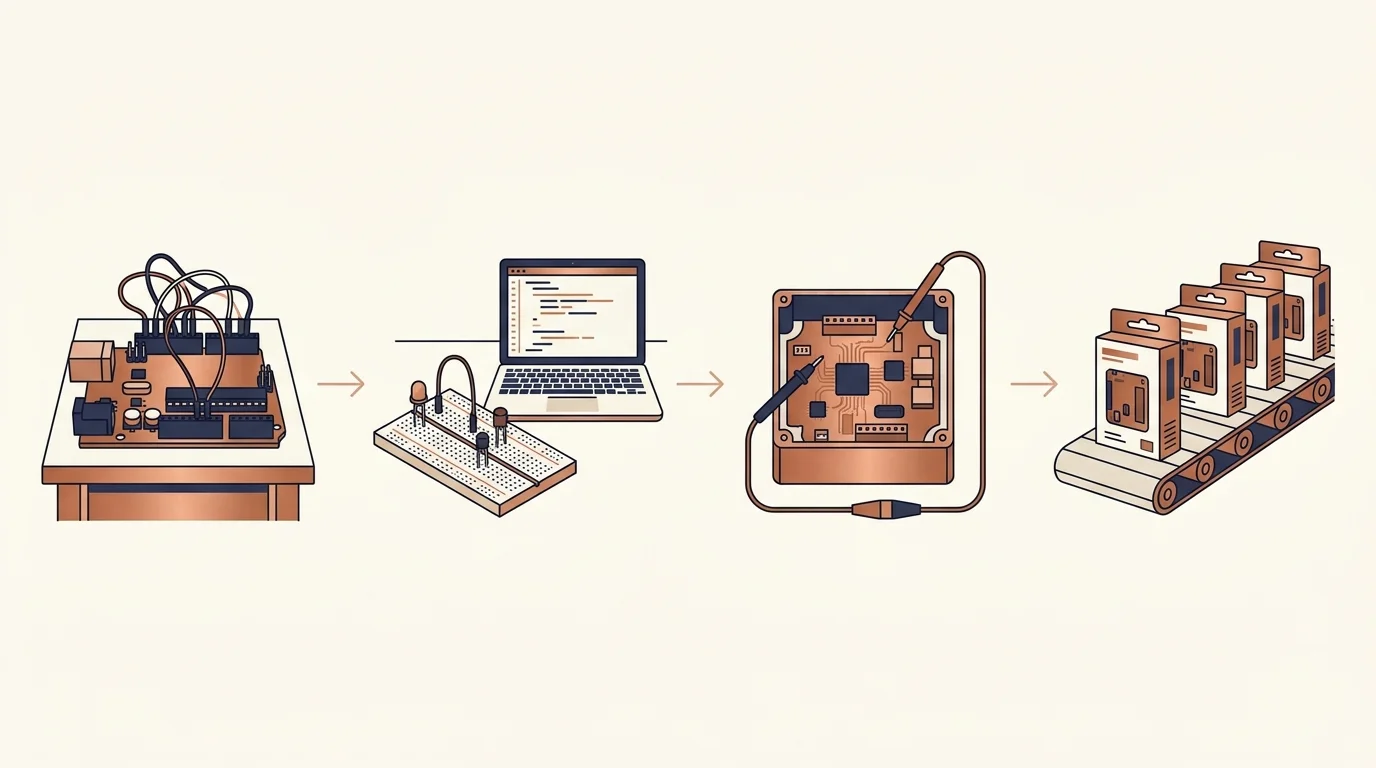
New to the platform? The TuyaOpen quick start guide walks through environment setup, building your first app, and flashing it to a board. Most developers go from unboxing to a working demo in an afternoon — the platform claims you can prototype in 8 hours and mass-produce in 15 days.
6. Scalability: Prototype to Production
This is where hobbyist boards and production-grade platforms diverge hard.
You can prototype almost anything on a Raspberry Pi or a popular maker board. But when you need to ship 10,000 units, you're dealing with a completely different set of problems: regulatory certification (FCC, CE, SRRC), module availability at scale, OTA update infrastructure, secure boot, and manufacturing test.
Ask these questions before committing to a board:
- Is there a pre-certified module? Getting regulatory certification (FCC, CE, SRRC) from scratch costs $10K-$50K and takes 2-6 months. A pre-certified module eliminates most of that.
- Does the vendor offer production firmware services? Flashing, calibration, and testing at scale require tooling and processes that most open-source projects don't provide.
- Is there an OTA update system? You will ship bugs. You need a reliable, secure way to push fixes to devices in the field.
- What's the supply chain story? Is the chip available from multiple distributors? What happens if it goes on allocation?
The T5 ecosystem addresses these directly: pre-certified modules, OEM/ODM support, Tuya Cloud OTA infrastructure, and a manufacturing pipeline validated across Tuya's platform of billions of connected devices (note: this is Tuya's overall platform scale, not T5-specific shipments). The TuyaOpen platform is designed so that the same code you prototype with is the code you ship — no rewrite between "works on my desk" and "works in customers' hands."
7. Cost at Scale
The dev kit price is irrelevant. What matters is the per-unit cost at your target volume.
A $15 dev kit that leads to a $3 BOM at 10K units is a better deal than an $8 dev kit that leads to a $12 BOM because you need three external chips to make it work. Total system cost — chip, connectivity, peripherals, external memory, certification amortization — is the number to optimize.
Most board vendors publish dev kit prices but make you request a quote for volume. Do the math yourself: chip cost + external components + PCB + assembly + certification amortization + firmware maintenance. That's your real per-unit cost. For the T5, you can order the dev kit to evaluate, then contact Tuya for volume pricing on pre-certified modules.
Matching Board to Use Case: A Quick Reference
Different projects have different priority profiles. Here's how the criteria above map to common AI device categories:
Voice assistant or AI companion device Priority: audio pipeline quality, low sleep current, cloud LLM integration, BLE for provisioning. Processing requirements are modest — keyword spotting locally, heavy lifting in the cloud.
Smart camera or vision system Priority: camera interface resolution and frame rate, inference throughput, display output for local feedback. Power consumption matters less if the device is plugged in.
Wearable AI (smart glasses, pendant, clip-on) Priority: power envelope above all else, small physical footprint, BLE for phone tethering, local inference for latency-sensitive tasks. Every milliamp-hour counts.
Smart home hub or panel Priority: connectivity (Wi-Fi + BLE + potentially Thread/Matter), display support, multi-device management. Processing requirements are moderate since most intelligence lives in the cloud.
Industrial sensor or edge monitor Priority: reliability, temperature range, wired connectivity options (Ethernet), long-term component availability. AI workload is typically lightweight anomaly detection.
For any of these categories, the evaluation framework is the same: define your workload, list your peripheral requirements, check the power budget, evaluate the SDK, and then look at the production path. The order matters — starting with "which board is cheapest" or "which board has the most GitHub stars" leads to bad decisions.
The Open-Source Advantage for AI Hardware
One trend worth calling out: the AI development board space is shifting hard toward open source. Three years ago, most AI-capable chips came with proprietary SDKs, vendor-locked cloud platforms, and NDA-protected documentation. Today, projects like TuyaOpen (Apache 2.0) are proving that an open-source, cross-platform SDK can support production-grade AI devices without locking developers into a single vendor's ecosystem.
The practical benefit: when your SDK is open source, you can fix bugs yourself, add support for peripherals the vendor didn't think of, and port your application to different chips without starting from scratch. The TuyaOpen SDK supports Tuya T-Series chips (T2, T3, T5AI), ESP32, and Raspberry Pi from a single codebase — meaning your AI application code is portable across architectures.
This matters for risk management as much as anything. If your product depends on a proprietary SDK and the vendor changes their licensing terms, raises prices, or gets acquired, you're stuck. Open source eliminates that single-vendor dependency. The Eclipse IoT Foundation has been making this case for years — the most successful IoT platforms are built on open standards and open code.
Ready to build on an open, cross-platform AI hardware stack? Explore the TuyaOpen platform — an Apache 2.0 SDK that runs the same application code across Tuya T-Series, ESP32, and Raspberry Pi.
Common Mistakes to Avoid
A few patterns that show up repeatedly in post-mortems from teams that picked the wrong board:
Chasing specs you don't need. You don't need 10 TOPS of NPU performance if your AI workload is keyword spotting and cloud API calls. Over-specifying your processor means over-spending on silicon, power, and thermal management.
Ignoring the audio pipeline. For voice AI, the analog front end (microphone interface, AEC, noise suppression, AGC) matters more than raw CPU speed. A board with excellent audio processing will produce a better voice assistant than a faster board with no audio support.
Forgetting about certification. If you plan to sell this product, you need FCC/CE/RC certification. Starting that process after your firmware is done is a recipe for expensive delays. Choose a board with pre-certified modules if production is the goal.
Underestimating the SDK. A great chip with a bad SDK will cost you more in engineering time than a mediocre chip with great tools. Evaluate the SDK, the docs, and the community before you evaluate the silicon.
Not thinking about power early. If there's any chance your device will need to run on battery, power consumption needs to be a first-order selection criterion, not an afterthought. You can't fix a power-hungry chip selection with firmware tricks alone.
Wrapping Up
Choosing an AI development board comes down to matching hardware capabilities to your specific application requirements, then verifying that the software ecosystem and production path support your timeline and business goals. The seven criteria above — processing, peripherals, connectivity, power, SDK quality, scalability, and cost — give you a structured way to evaluate options without getting distracted by spec-sheet marketing.
The Tuya T5 and the broader TuyaOpen platform represent one approach to this problem: an integrated, open-source SDK paired with a chip designed for the all-in-one peripheral requirements of consumer AI devices. Whether you choose T5 or something else, use the framework above to make the decision based on what your project actually needs, not what sounds impressive in a product announcement.
The best AI development board for your project is the one that gets you from idea to working prototype fastest, and from prototype to shipped product most reliably. Everything else is just spec sheets.